
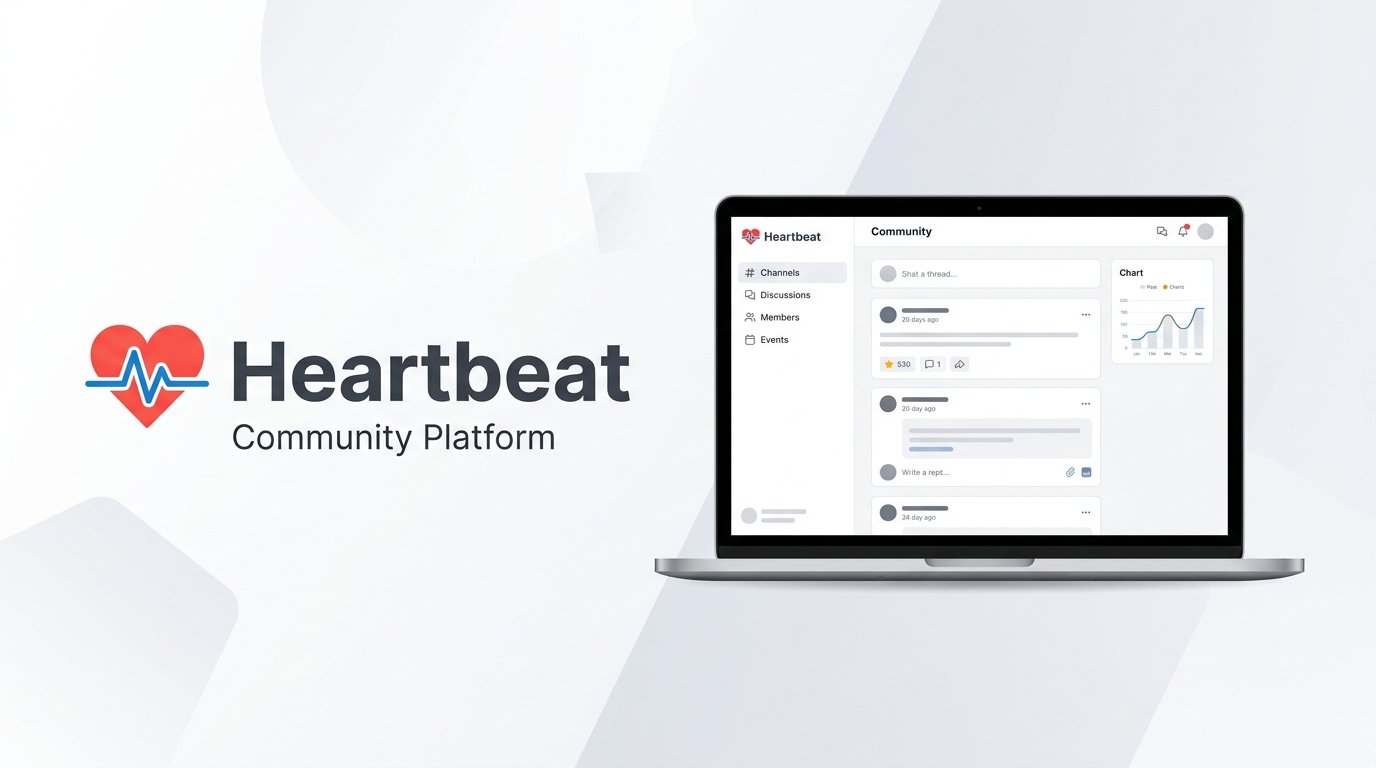
Heartbeat pitches itself as the all-in-one platform for “community businesses” — chat channels, courses, events, and monetization tools bundled together, with an AI co-builder called Pulse meant to get a new community launch-ready in hours rather than days. It publishes direct comparison pages against Circle, Skool, Mighty Networks, Kajabi, Thinkific, Discord, and Facebook Groups, so it’s clearly positioning itself as a serious contender in a crowded category. This review covers what’s actually included at each plan, based on Heartbeat’s official pricing page.
On this page
Quick Verdict
| Overall Rating | 4.8/5 on G2 (31 reviews); Trustpilot sits in a similar high-4s range, though Capterra’s sample is too small (3 reviews) to be meaningful |
| Best For | Creators who want chat, courses, events, and monetization in one platform, with an unusually feature-rich entry-level paid plan |
| Starting Price | $40/month (Build, billed annually) |
| Free Trial | 14 days, no credit card required |
| Transaction Fees | 5% (Build), 2.5% (Grow), 1.25% (Scale) — on top of Stripe’s standard processing fee |
| Refund Policy | 30-day money-back guarantee on new subscriptions (per Heartbeat’s dedicated refund policy), with exclusions — see Pricing |
Pros & Cons
Pros
- Even the entry-level Build plan includes unlimited channels, courses, events, documents, custom domain, member analytics, and Zapier/Zoom/Google Calendar integrations — a notably generous base tier
- Courses support both evergreen (drip) and cohort-based (fixed start/end) delivery, unlimited on every plan
- Scale includes a fully branded, white-label mobile app as part of the subscription — not a separate paid add-on, unlike most competitors in this category
- Strong G2 rating (4.8/5), with several reviewers specifically citing affordability relative to competitors
- Transaction fees drop sharply as you move up plans (5% → 2.5% → 1.25%), and Pulse (Heartbeat’s AI co-builder) is included from the entry tier with no stated usage cap
Cons
- Localization has been a long-running gap — older reviews and Heartbeat’s own help documentation said no automatic translation was available. Heartbeat’s current Help Center now documents a language setting that sets member-facing text on desktop and mobile, but it’s unclear how many languages are supported or whether creator-authored content (posts, lessons, documents) is translated
- Build’s 5% transaction fee is steep — stacked on top of Stripe’s ~2.9% + 30¢, that’s a real cut on every sale until you can justify upgrading
- Heartbeat’s own branding stays on your community until you reach Grow ($124/month annual) — Build doesn’t remove it
- Scale isn’t self-serve — you have to schedule a call rather than sign up directly, even though its pricing is publicly listed
- Native video hosting isn’t free on Build; it’s a $19/month add-on, while Grow and Scale include hours (50 and 200 respectively) at no extra cost
- There’s a real discrepancy on Heartbeat’s own pricing page: Build’s feature list advertises “unlimited… landing pages,” but the detailed comparison table caps Build at 1 custom landing page (15 on Grow, 50 on Scale) — worth confirming directly before you build around that assumption
Ready to try Heartbeat?
Who Should Use Heartbeat?
Heartbeat suits creators and coaches who want chat, courses, live events, and monetization tools in a single platform without piecing together separate apps, and who value a generous base tier — unlimited courses, events, and channels are included even on the cheapest plan. Its customer base leans heavily toward the creator economy, with testimonials from YouTube, Instagram, and Spotify creators with six- and seven-figure followings alongside brand names like Asus and Teach For America, suggesting it scales from solo creators to larger operations.
It’s a weaker fit if you’re price-sensitive on a small community just starting out, since Build’s 5% transaction fee is higher than most direct competitors charge at their entry tier, and Heartbeat’s own branding stays visible until you’re paying for Grow. If a fully custom-priced top tier and a sales conversation don’t appeal to you, note that Scale requires scheduling a call rather than self-serve signup, even though its price is public.
Key Features
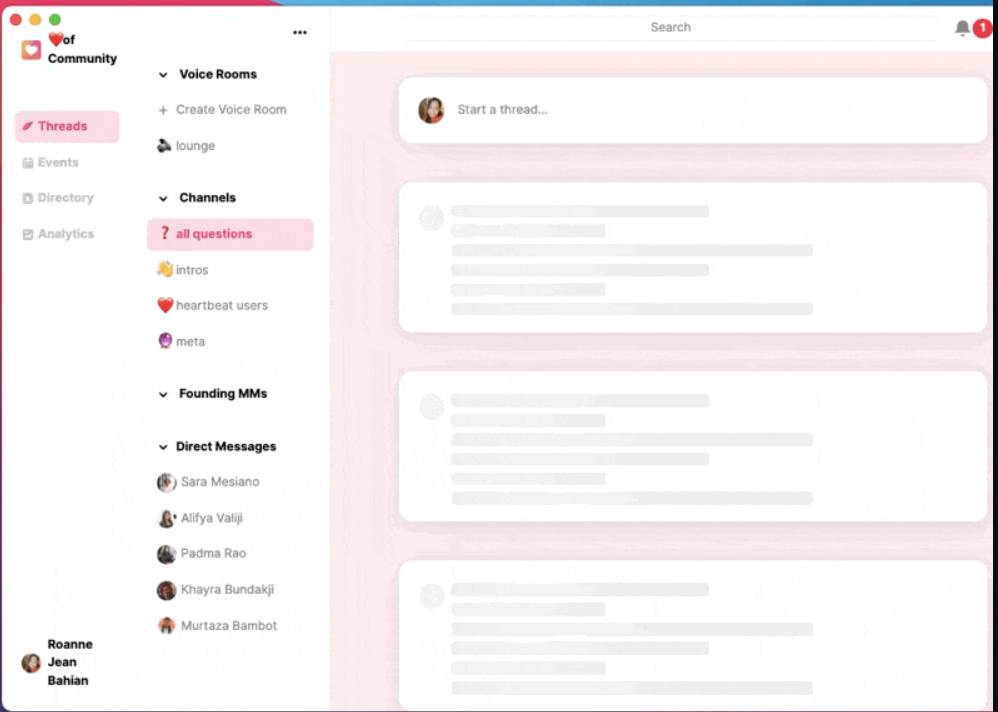
Core Community Tools. Unlimited channels, private channels, groups (manual and automated), document storage, and a member directory with badges and gamification are included on every plan, including Build. Voice and video rooms support up to 256 attendees with unlimited hours on every plan.
Courses. Unlimited courses on every plan, with a choice of evergreen (self-paced, drip-released) or cohort-based (fixed start and end dates) structures — the same flexibility you’d expect from a dedicated course platform, built into the community product.
Pulse AI. Heartbeat’s AI co-builder helps set up your community, structure content, and get launch-ready, with Heartbeat claiming most communities launch in 5–7 days (or hours with Pulse). Heartbeat’s pricing page lists Pulse on every plan but doesn’t specify a per-plan usage cap, unlike the credit-based AI systems some competitors use.
Monetization. Paid waitlists, checkout pages, membership tiers, and upsells are included on every plan. Where plans differ is on the tools around monetization: custom cancellation and retention flows, conversion tracking, an affiliate/referral program, and advanced offer settings (limits, expiration dates, access rules) all require Grow or above.
Branding and Customization. Custom domain and brand colors are included even on Build, but Heartbeat’s own branding remains visible until Grow, which adds white-label emails and removes Heartbeat branding entirely. A fully white-labeled, branded mobile app is included on Scale — not sold separately, which is unusual in this category.
Automation. Build includes 5 automation workflows; Grow and Scale include unlimited workflows, plus auto-responder and DM rules.
Other notable features
- Native video hosting is a $19/month add-on on Build, included with 50 hours on Grow and 200 hours on Scale
- API access starts on Grow; Build has none
- Integrations include Zapier, Zoom, Google Calendar, and Outlook Calendar; Slack, Circle, and Peerboard import tools are available for migrating existing communities over
- Support response time scales by plan: within 2 business days (Build), within 1 business day (Grow), same-day (Scale) — with 1:1 onboarding help only on Scale
Pricing
Prices below are for annual billing; monthly billing costs more. All figures come directly from Heartbeat’s official pricing page.
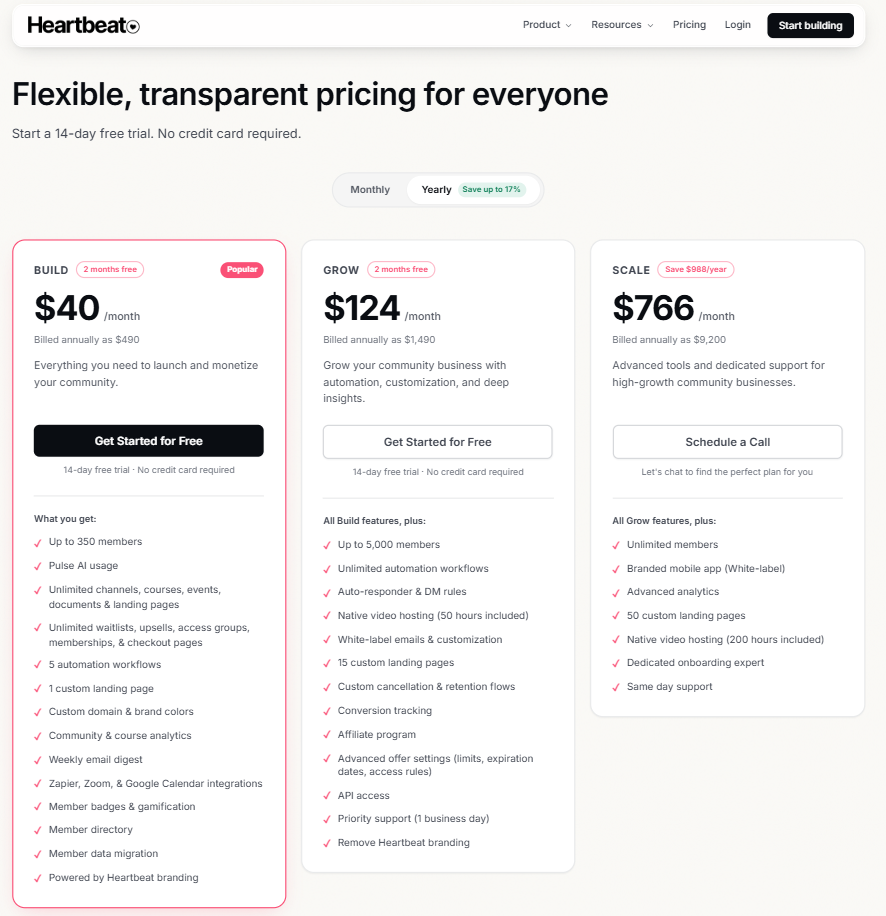
- Build — $49/month, or $490 billed annually (advertised as $40/month on annual billing): Up to 350 members, 5% transaction fee, 5 automation workflows, 1 custom landing page (though the plan’s own feature list separately claims unlimited landing pages — see the Cons section above), Heartbeat branding visible.
- Grow — $149/month, or $1,490 billed annually (advertised as $124/month): Up to 5,000 members, 2.5% transaction fee, unlimited automation workflows, 50 hours of native video hosting included, 15 custom landing pages, API access, affiliate program, Heartbeat branding removed, priority support (1 business day).
- Scale — $849/month, or $9,200 billed annually (advertised as $766/month, saving $988/year vs. monthly): Unlimited members, 1.25% transaction fee, branded white-label mobile app included, 200 hours of native video hosting, 50 custom landing pages, dedicated onboarding expert, same-day support. Requires scheduling a call rather than self-serve signup. (The exact annual total divided by 12 works out slightly higher than the advertised monthly-equivalent figures, which Heartbeat rounds.)
Trial and billing: 14-day free trial, no credit card required. If you don’t upgrade by the end of the trial, your community is deactivated, and deleted after 30 days of continued inactivity. You can switch between monthly and annual billing anytime, with prorations or refunds applied as needed.
Refunds: Heartbeat’s dedicated refund policy states a 30-day money-back guarantee on new subscriptions — a full refund of your subscription fee, no questions asked, within 30 days of your initial purchase (resubscribing after cancelling doesn’t create a new 30-day window). Stripe processing fees and Heartbeat’s own platform fee on payments already collected aren’t included in the refund, and White Label (branded) apps are explicitly excluded from the policy entirely. Heartbeat’s pricing-page FAQ separately describes refunds as handled case-by-case, so the two official sources aren’t perfectly aligned — confirm current eligibility with support before relying on either description.
Transaction fees in context: Heartbeat’s percentage fee (5%/2.5%/1.25%) is added on top of Stripe’s standard processing fee, which Heartbeat’s own pricing page quotes as typically 2.9% + 30¢. On Build, that’s 7.9% in combined percentage fees plus 30¢ per transaction — on a $100 sale, about $8.20 total. Actual Stripe rates can vary by country and payment method, so treat this as an illustrative example, not a universal rate.
Looking for other choices? See our top picks for the Best Community Platforms
Top Alternatives
Heartbeat publishes its own comparison pages against most of its direct competitors, which gives a sense of how it positions itself.
Circle offers a broader business toolkit — a website builder from its entry tier, API access from its Business plan — at a higher starting subscription price than Heartbeat Build, but with a lower platform fee (2% vs. Build’s 5%). Which one costs less overall depends heavily on your sales volume and which features you actually need.
Skool is simpler and cheaper to start with (Hobby is $9/month) and does include unlimited courses, videos, and live calls — but it has no quizzes or completion certificates, which Heartbeat also doesn’t natively offer either, so neither platform wins outright on structured course assessment.
Mighty Networks offers deeper native course tooling (quizzes, certifications, and SCORM-compliant content embeds — not necessarily a full SCORM-compliant LMS) if structured learning matters more to you than chat-first community engagement.
Final Verdict
Heartbeat’s biggest strength is how much it packs into its entry-level plan — unlimited courses, events, and channels, plus an AI co-builder, for $40/month — which is genuinely more generous than several competitors’ base tiers. The trade-off is Build’s steep 5% transaction fee and visible branding, both of which push serious sellers toward Grow fairly quickly. If you’re comparing Heartbeat against Circle, Skool, or Mighty Networks, the decision likely comes down to whether you value Heartbeat’s all-in-one chat-plus-courses-plus-events bundle and its unusually generous branded-app inclusion on Scale, against its higher fees at the entry tier.
FAQ
How much does Heartbeat cost? Build is $40/month billed annually ($49 monthly), Grow is $124/month annually ($149 monthly), and Scale is $766/month annually ($849 monthly). A 14-day free trial is available with no credit card required.
Does Heartbeat charge transaction fees? Yes — 5% on Build, 2.5% on Grow, and 1.25% on Scale, all added on top of Stripe’s standard processing fee (typically 2.9% + 30¢).
Can I get a branded mobile app with Heartbeat? Yes, and uniquely in this category, it’s included in the Scale plan’s subscription rather than sold as a separate add-on. Build and Grow don’t include it.
Does Heartbeat offer a free plan? No, but it offers a 14-day free trial with no credit card required. Your community is deactivated if you don’t upgrade by the end of the trial.
Can I migrate my existing community to Heartbeat? Yes — Heartbeat supports self-serve migration of members, content, subscriptions, and payment data, with direct import tools for Slack, Circle, and Peerboard, and team support available if needed.
Compare Heartbeat with
- Circle
- Skool
- Mighty Networks
Disclosure: StackDrawer is reader-supported. If you purchase through certain links on this site, we may earn an affiliate commission at no additional cost to you. Learn more in our Affiliate Disclosure.