
Webflow sits in an unusual spot among website builders. It gives you the visual control of a design tool, a built-in CMS, and hosting in one place, but it expects you to think like a designer. That often appeals to agencies, freelancers, and marketing teams, and makes it a harder sell for someone who just wants a simple site live this weekend. This review covers what each plan includes, where the costs stack up, and who Webflow actually suits.
On this page
Quick Verdict
| Overall Rating | ⭐4.4/5 (G2, 990+ reviews) |
| Best For | Designers, agencies, and marketing teams that want custom-designed, CMS-driven sites without hand-coding every page |
| Starting Price | From $15/month per site (Basic, billed yearly) |
| Free Trial | No timed trial; a free Starter plan you can use indefinitely, limited to a webflow.io domain |
| Free Plan | Yes: 2 static pages, 1 GB of monthly bandwidth, and 50 lifetime form submissions on an unhosted site |
| Pricing Model | Separate plans for each site, your Workspace, and extra seats |
Pros & Cons
Pros
- A free Starter plan with no time limit, so you can build and stage before paying anything
- A visual canvas with detailed control over layout and typography, rather than rigid templates
- A built-in CMS (up to 20,000 items and 40 collections on Premium) with scheduled publishing and RSS feeds
- Hosting, a global CDN, and unlimited backups are included with paid site plans, and Webflow says DDoS and bot protection are built in
- Interactions are built visually, with a newer GSAP-powered editor alongside Classic Interactions, and Premium adds code components for advanced behavior
- Useful agency and freelancer workflows: Freelancer and Agency Workspaces include client seats, while limited seats let team members edit content or build pages without full design permissions
- Code export is available on paid Workspaces: you can export your site’s HTML, CSS, JavaScript, and assets to host elsewhere. The export doesn’t include the live CMS database or all Webflow functionality, but CMS collections can be exported separately as CSV files
Cons
- Pricing has several layers: a per-site plan, an optional Workspace plan, and paid seats
- The $15 Basic plan has no CMS; you need Premium ($25/month billed yearly) for one
- The free Starter plan is tight: 2 static pages, 1 GB of bandwidth, and 50 lifetime form submissions on an unhosted site
- Ecommerce is a separate set of plans, and the entry Standard plan charges a 2% transaction fee on top of Stripe or PayPal fees
- Bandwidth is capped, and two consecutive months over your limit triggers an automatic plan upgrade
- Sites can only be built in Webflow: you can’t import an existing site or code, and exported code can’t be re-imported
- G2 reviewers often mention a steeper learning curve than simpler builders
- Support on lower plans is email-based, and Webflow says it aims to reply within 48 hours
Ready to try Webflow?
Who Should Use Webflow?
Webflow suits designers, freelancers, and agencies who want pixel-level control and a CMS they can hand over to clients. Client seats on the Freelancer and Agency Workspace plans and the content-editing role let a client update text without touching the layout. It’s also a good fit for marketing teams running content-heavy sites who are tired of waiting on developers to publish changes.
It works for small businesses too, as long as someone is willing to learn the tool. If you’re building a brochure site, a portfolio, or a blog with a custom look, the Basic and Premium plans are reasonably priced.
It’s a weaker fit if you want the fastest, simplest setup. Beginner-focused builders like Wix and Squarespace are built around that goal. It’s also not the first choice for a store-first business: a dedicated platform like Shopify is built for selling, while Webflow’s ecommerce plans come with item limits and, on the entry tier, a transaction fee. Our best website builders roundup compares the main options side by side.
Key Features
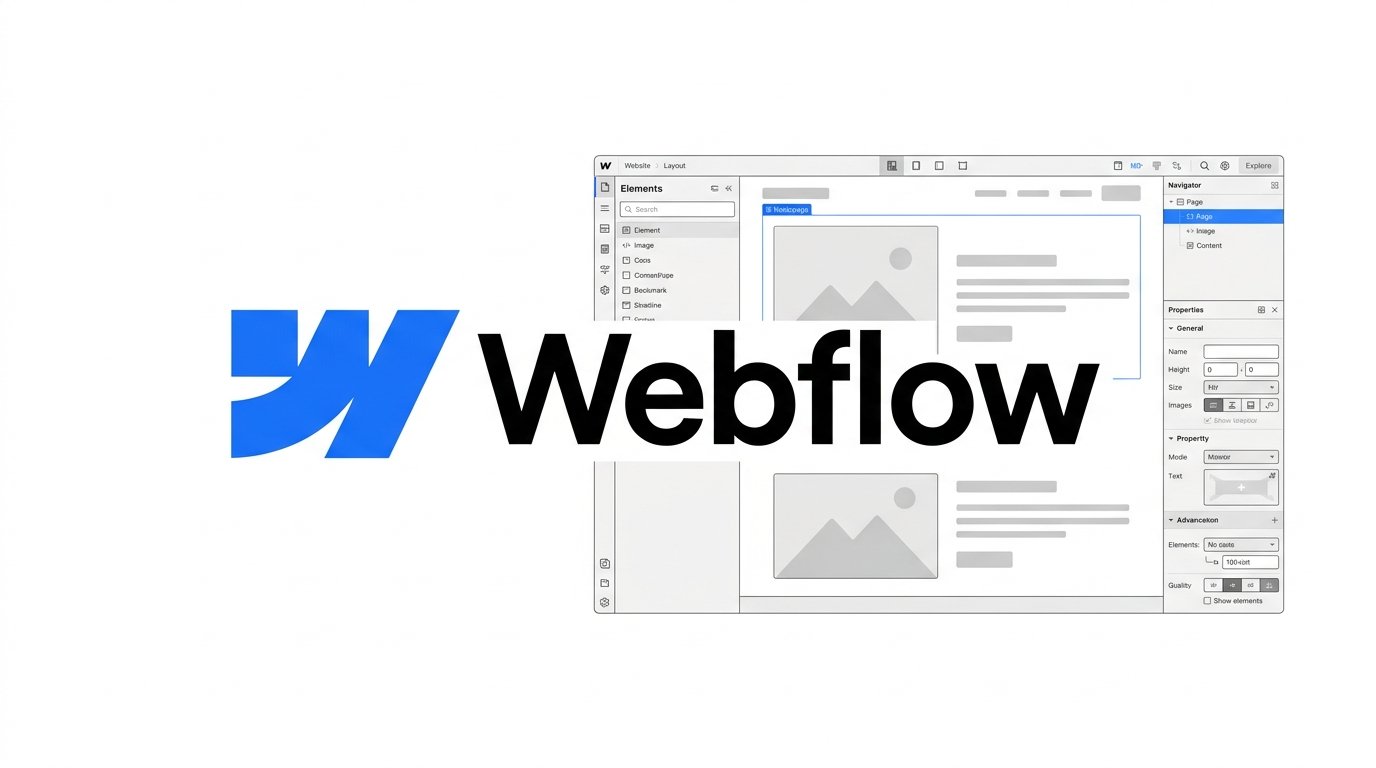
Visual Design Canvas. Webflow’s editor lets you control layout and fine-tune typography visually, which is the main reason designers prefer it to template-driven builders. Webflow AI can generate a site from a prompt, create new sections that follow your design system, and draft copy. AI usage runs on monthly credits: 200 on the free Workspace, 300 on Core, and 400 on Growth. Some AI tools, such as copy generation, require a paid Workspace on a Starter site.
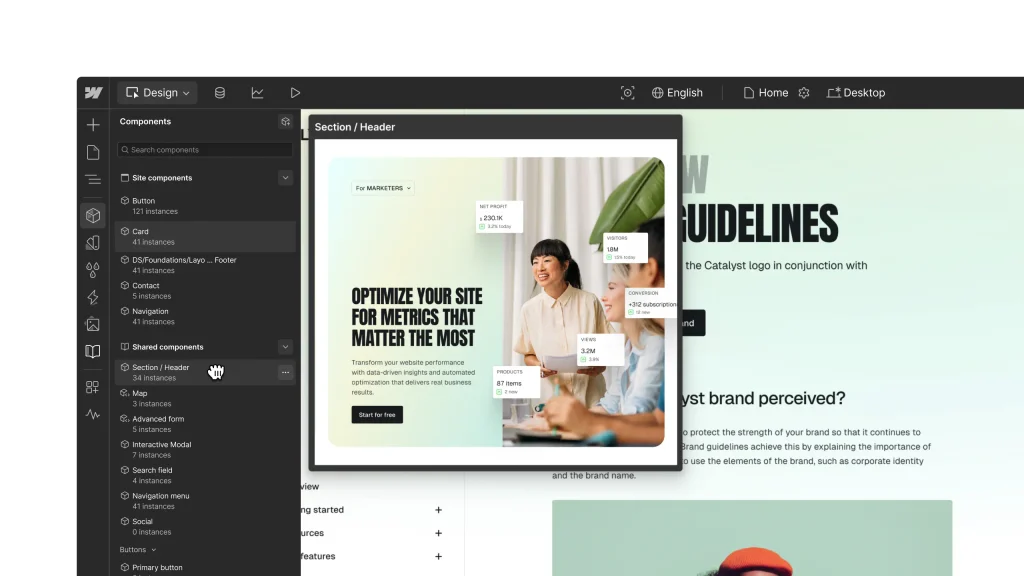
CMS and Hosting. The CMS lets you build collections (blog posts, team members, locations) and design templates around them. Premium supports up to 20,000 items and 40 collections, with scheduled publishing, per-item publishing, RSS feeds, and content APIs. Hosting is included on paid site plans, with a global CDN, unlimited backups, and DDoS protection. Bandwidth is the limit to watch: Basic gets 10 GB per month, and Premium scales from 50 GB up to 2.5 TB.
Interactions and Code. Webflow supports Classic Interactions and a newer Interactions with GSAP editor, which builds animations visually on a timeline without writing JavaScript. You can switch between the two, and Classic remains available for features the GSAP version doesn’t yet support. Premium adds code components, which let developers bring in React components or generate new ones with AI. This is where Webflow stands apart from simpler builders.
Collaboration and Client Handoff. Workspaces handle staging and teamwork. Paid Workspace plans add more staging sites, and the Freelancer and Agency plans add client seats and client payments, so a client can pay for their own site plan directly. The Team platform plan adds page branching, publishing workflows, and priority support, and Enterprise sits above it with more advanced governance, security, and customization.
Other notable features
- Built-in SEO controls, with AI-assisted SEO and AEO (AI search) audits
- Webflow Cloud app hosting included on every site plan, with limits that rise on Premium
- An MCP server, so you can work with your site from AI tools such as Claude
- Password protection on Basic and above, and unlimited form submissions from Basic
- Optional add-ons for analytics, localization, and A/B testing
- Figma to Webflow and DevLink for design and developer handoff
Pricing
Webflow prices by layer. Each site needs a Site plan, your Workspace has its own plan, and extra seats cost more. The prices below are in USD, per site, billed yearly, and exclude taxes. Webflow says yearly billing saves up to 40% versus paying monthly.
Site plans
- Starter: Free. Webflow.io domain, limited CMS, 2 static pages, 1 GB monthly bandwidth, 50 lifetime form submissions.
- Basic: $15/month. Custom domain, 300 static pages, 10 GB bandwidth, unlimited form submissions, password protection. No CMS.
- Premium: $25/month. Everything in Basic plus the CMS (20,000 items), code components, site search, and form file uploads. Bandwidth from 50 GB to 2.5 TB depending on the tier you choose.
Ecommerce plans (in addition to Stripe or PayPal processing fees)
- Standard: $29/month. 500 ecommerce items, 2% transaction fee.
- Plus: $74/month. 5,000 items, 0% transaction fee, unbranded emails.
- Advanced: $212/month. 15,000 items, 0% transaction fee.
Workspace plans (for staging and collaboration; Webflow offers one track for teams and a separate track for freelancers and agencies)
- Starter: Free, for teams. 2 staging sites, 1 full seat.
- Core: $19/month. For teams. 10 staging sites, code export, Shared Libraries.
- Growth: $49/month. For teams. Unlimited staging sites, site-level roles, publishing permissions.
- Freelancer and Agency: $16 and $35/month, on a separate track for freelancers and agencies (which also has its own free Starter Workspace with 2 staging sites). Freelancer includes 1 free client seat per site and client payments; Agency includes 3 client seats per site and unlimited staging sites.
Extra seats cost $39/month per full seat and $15/month per limited (content-editing) seat, billed yearly. The Team platform plan starts at $2,500/month on an annual contract, and Enterprise is custom-priced.
Add-ons include Analyze from $9/month, Localize from $9/month, and Optimize (A/B testing and personalization) from $299/month. Premium bandwidth can also be expanded, for example +50 GB for $20/month billed yearly. A simple brochure site can cost $15/month, while a CMS site with a paid Workspace and a couple of seats can run well above that. Check the live pricing page for the exact combination you need.
Top Alternatives
If you want a simpler, more guided builder, Wix and Squarespace get most small sites online faster and with less to learn. If selling products is the main goal, Shopify is built around ecommerce rather than adding it as an extra plan. Choose Webflow over these when design control, a flexible CMS, or a designer-to-client workflow matters more than speed of setup.
Final Verdict
Webflow is one of the strongest options for people who want a custom-designed site with a real CMS and managed hosting, without maintaining their own server. The free Starter plan lets you test the editor before paying. The trade-offs are a learning curve, layered pricing that takes a minute to understand, capped bandwidth, and ecommerce that is less turnkey than a store-first platform. If you or your team will invest the time, it’s a rewarding tool. If you want a site up quickly with minimal setup, a simpler builder is the safer bet.
FAQ
How much does Webflow cost? Site plans start at $15/month (Basic) and $25/month (Premium) billed yearly, and the Starter plan is free. Ecommerce plans run from $29 to $212/month. Workspace plans and seats are separate, and yearly billing saves up to 40% versus monthly.
Does Webflow have a free plan? Yes. The Starter site plan is free with a webflow.io domain, 2 static pages, 1 GB of monthly bandwidth, and 50 lifetime form submissions on an unhosted site (the limit doesn’t reset each month). You need a paid Site plan to publish to a custom domain.
Do I need a paid Workspace plan? Not to publish a site. Every account has a free Workspace, and a paid Site plan is what unlocks a custom domain and hosting. Paid Workspaces add more staging sites, code export, and collaboration tools.
Is Webflow good for beginners? It’s a no-code tool, but G2 reviewers often describe a steeper learning curve than simpler builders. Since this review is research-based, try the free Starter plan before committing to a paid one.
Does Webflow charge transaction fees? Only on ecommerce plans. Standard charges 2% in addition to Stripe or PayPal fees, while Plus and Advanced charge 0%.
Can I export my Webflow site? Yes, paid Workspace plans let you export your site’s HTML, CSS, JavaScript, and assets to host elsewhere. The export doesn’t include the CMS database or ecommerce and user-account data, forms and site search stop working on the exported site, and password protection is lost. CMS collections can be exported separately as CSV files, but you can’t re-import exported code to rebuild the editable
Compare Webflow with
- Wix
- Squarespace
- Shopify
Disclosure: StackDrawer is reader-supported. If you purchase through certain links on this site, we may earn an affiliate commission at no additional cost to you. Learn more in our Affiliate Disclosure.