
Picking a course platform shapes almost everything else about how you run your business — how you get paid, how much you keep from every sale, and how much extra software you need to bolt on later. Some platforms try to replace your entire marketing stack, while others focus purely on teaching and delivery. In this guide, we compare the best course platforms in 2026 to help you find the right fit for your budget and business model.
On this page
Quick Recommendations
| Platform | Best For | Starting Price | Free Plan Limits | Our Rating |
| Kajabi | Creators who want courses, email marketing, and funnels under one login | $143/month | No free plan (14-day free trial) | ⭐4.6 / 5 |
| Teachable | First-time creators wanting a cheap start with automated tax handling | $29/month | No free plan (7-day free trial) | ⭐4.3 / 5 |
| Thinkific | Educators who need unlimited courses and serious teaching tools | $40/month | No free plan (30-day free trial) | ⭐4.5 / 5 |
| Podia | Creators selling a mix of downloads, coaching, and courses | $42/month | No free plan (30-day free trial) | ⭐4.4 / 5 |
Comparison at a Glance
| If you want… | Choose |
| Best overall, all-in-one business engine | Kajabi |
| Cheapest way to test a first course | Teachable |
| Unlimited courses with no product caps | Thinkific |
| Simplest storefront for downloads + coaching + courses | Podia |
The Best Tools
1. Kajabi
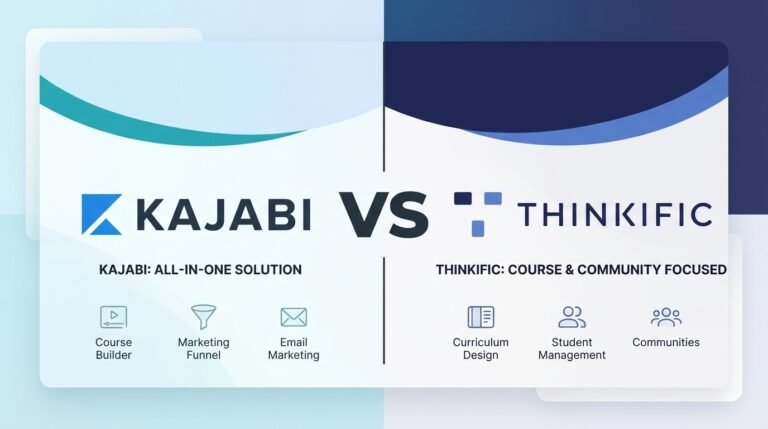
Kajabi is built to replace your entire creator stack — course hosting, email marketing, sales funnels, landing pages, and community, all under one login. It costs more to start than the others on this list, but for creators juggling several separate subscriptions, it often works out cheaper in practice.
- All-In-One Marketing Engine. Kajabi’s native funnel builder, Pipelines, connects opt-in pages, automated email sequences, and checkout offers into one workflow — no separate funnel tool needed.
- 0% Platform Commission. Kajabi Payments and PayPal don’t take a cut of your sales. For US entities, Kajabi Payments lists card processing at 2.9%/2.8%/2.7% + $0.30 depending on plan, and connecting your own Stripe account instead adds a 2%/1%/0.5% surcharge by tier.
- Built-In Everything. Video hosting (via Wistia), podcasts, coaching with scheduling, and a full community space with discussion Circles and live events are all integrated into the platform, cutting down on the need for separate services.
- Tax Is Still On You. Kajabi Sales Tax calculates and collects tax at checkout, but it doesn’t file or remit it — that part’s your responsibility, unlike some competitors.
2. Teachable
Teachable keeps things simple: upload a course, set a price, and start selling — with tax compliance handled automatically in the background.
- Automated Global Tax Compliance. Through Teachable Payments, Teachable acts as merchant of record and automatically calculates, collects, and remits US sales tax and EU/UK VAT for you.
- Low Entry Price, With a Catch. The $29/month Starter plan is the cheapest way onto this list, but it carries a 7.5% platform transaction fee on top of card processing. That fee disappears entirely on the $69/month Builder plan and above.
- Certificates on Every Plan. Course completion certificates are included starting on Starter — not gated behind a pricier tier the way some platforms do it.
- Lighter on Marketing. Teachable covers checkout upsells and order bumps well, but it doesn’t have Kajabi’s visual funnel builder or advanced automations. Email broadcasts unlock starting on Builder. (Kajabi vs Teachable Comparison)
3. Thinkific
Thinkific is built for creators who care most about the teaching experience — deep course tools, unlimited publishing, and real control over site design.
- Unlimited Courses, Every Plan. There’s no cap on the number of courses you can publish, even on the cheapest $40/month Basic plan. Basic, Start, and Grow list a 10,000-current-student limit; Plus offers custom capacity instead of a fixed number.
- Deeper Teaching Tools. Graded assignments, quizzes, lesson prerequisites, and compliance tracking are all more built-out here than on Kajabi or Podia. Certificates, bundles, and memberships unlock starting on the $82/month Start plan. (Kajabi vs Thinkific Comparison)
- 0% Platform Surcharge. Thinkific Payments charges no platform-level surcharge on any plan. Connecting your own Stripe account instead adds 5%/2%/1% depending on plan.
- Strong (Not Full) Tax Handling. Thinkific automatically calculates, collects, and remits U.S. and Canadian sales tax for qualifying sales. For UK/EU VAT, it calculates and collects the tax, while the creator remains responsible for remitting it. The Sales Tax/VAT Solution charges 0.5% on every non-zero-dollar transaction where the solution applies, including transactions where the calculated tax rate is 0%.
4. Podia
Podia is the simplest option here if your business isn’t just courses — it bundles digital downloads, coaching, and community into one flat-rate storefront.
- Sell More Than Just Courses. Digital downloads, 1-on-1 coaching (via Calendly, SavvyCal, or Zoom), live events, and community spaces are all native, not bolted-on add-ons.
- 5% Fee on the Entry Plan. The $42/month Mover plan carries a 5% transaction fee. Shaker ($84/month) removes that fee and adds affiliate marketing and Zapier integrations — the simple platform-fee break-even point is around $840/month in sales, before factoring in payment-processing costs.
- No Native Mobile App. Students and community members access everything through a mobile browser — there’s no dedicated iOS or Android app, unlike the other three platforms here.
- Broad Tax Support. Podia handles point-of-sale tax calculation across 230 countries, which is a wider net than most competitors advertise.
How to Choose
Step 1: Decide how much you want one platform to do. If you want to cancel separate email marketing and funnel tools entirely, Kajabi does the most for you. If you’re fine using your own email tool, Teachable, Thinkific, or Podia will save you money. (Teachable vs Thinkific Comparison)
Step 2: Check the transaction fee math before you commit to a cheap plan. Teachable’s Starter and Podia’s Mover plans both look cheap on the surface, but their 7.5% and 5% transaction fees respectively can outweigh the plan-price savings once you’re selling consistently. Run the numbers against your expected monthly revenue before choosing the entry tier.
Step 3: Think about what you’re actually selling. If it’s strictly structured courses with grading and compliance tracking, Thinkific’s tools go deeper than the others. If you’re selling a mix of downloads, coaching calls, and courses, Podia is built around exactly that combination.
Our Recommendation
For most creators building a serious, ongoing business, Kajabi is the strongest overall pick. The higher starting price is easier to justify once you factor in everything it replaces — email marketing, funnels, landing pages, and community — without needing separate subscriptions for each.
If you’re testing your first course and don’t want to commit to a bigger monthly bill yet, Teachable is the easier entry point — just keep an eye on that 7.5% fee once sales pick up.
FAQ
Which course platform is cheapest to start with? Teachable’s Starter plan, at $29/month annually, is the lowest entry price on this list — but its 7.5% transaction fee means it isn’t necessarily the cheapest option once you’re generating consistent sales.
Do any of these platforms have a permanent free plan? No. All four require a paid subscription to publish and sell. Each offers a free trial instead — 14 days for Kajabi, 7 days for Teachable, and 30 days for both Thinkific and Podia.
Which platform takes the smallest cut of my sales? Kajabi, Thinkific, and Podia all offer 0% platform transaction fees once you’re on the right plan (Kajabi and Thinkific on every paid tier via their own payment processor, Podia starting on Shaker). Teachable only reaches 0% starting on its Builder plan; Starter carries a 7.5% fee.
Can I migrate my courses between these platforms later? Generally yes, but not with a single click. Student data typically exports as CSV, while course content, videos, and page layouts usually need to be rebuilt inside the new platform’s editor.
Disclosure: StackDrawer is reader-supported. If you purchase through certain links on this site, we may earn an affiliate commission at no additional cost to you. Learn more in our Affiliate Disclosure.