
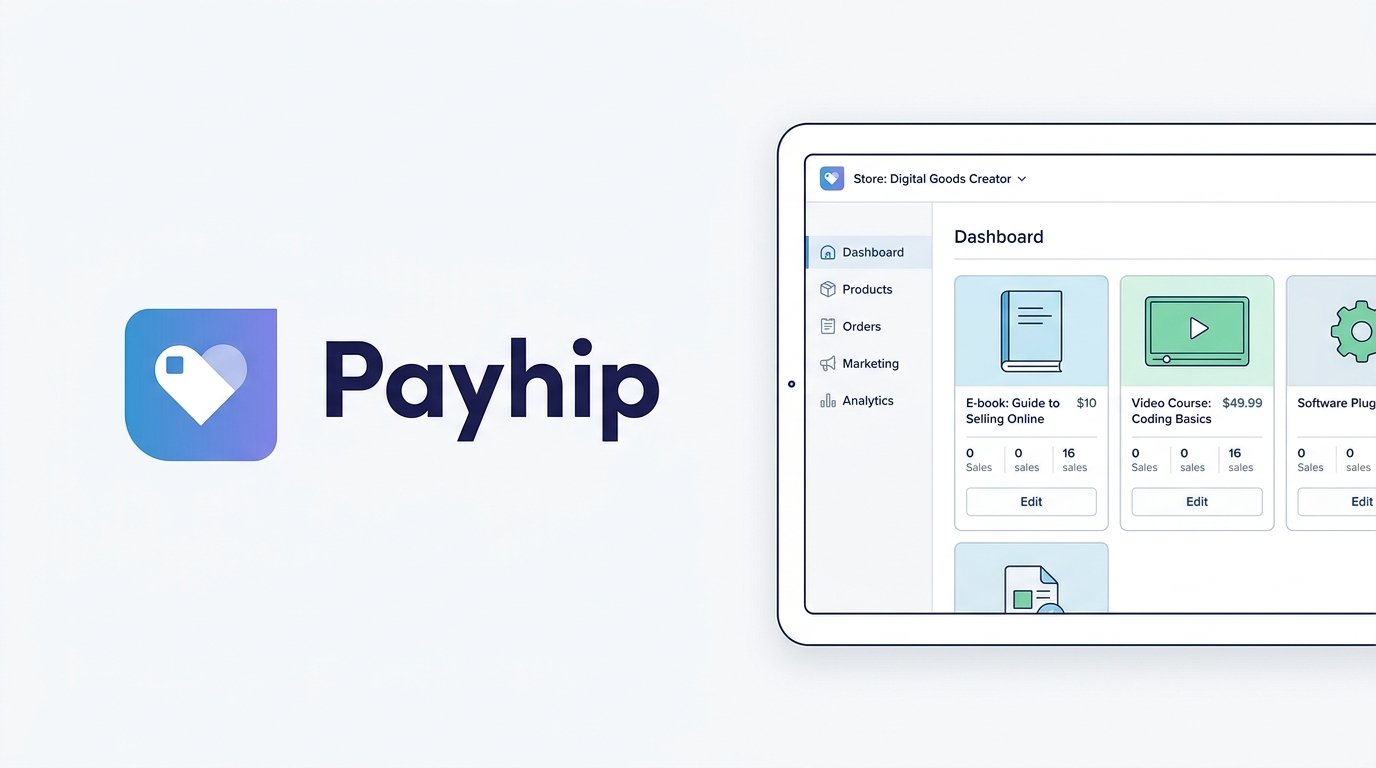
Payhip takes a different approach to pricing than most digital product platforms: every plan gets every feature, and the only thing that changes as you pay more is your transaction fee. It’s a straightforward pitch for creators selling downloads, courses, coaching, memberships, or even physical products, and it’s used by more than 130,000 sellers.
This review breaks down Payhip’s pricing, features, fee structure, pros and cons, and top alternatives to help you decide if it fits how you sell.
On this page
Quick Verdict
| Overall Rating | ⭐ 4.3 / 5.0 |
| Best For | Creators who want every feature available from day one and a clear path to lower fees as they grow, without hitting a paywall on functionality |
| Starting Price | $0/month (Free Forever plan, 5% transaction fee) |
| Free Trial | Not applicable — the Free Forever plan has no time limit and no credit card required to sign up |
| Core Features | Digital downloads, online courses, coaching, memberships, physical products, built-in affiliate program, automatic EU/UK VAT and US/Canadian (excluding Quebec QST) sales tax handling |
| E-commerce & Fees | 5% transaction fee on the Free plan, 2% on the $29/month Plus plan, 0% on the $99/month Pro plan. Standard PayPal or Stripe processing fees apply on top, on every plan. |
Pros & Cons
Pros
- No Feature-Gating: Every plan — including the free one — gets the exact same features. You’re only ever paying to lower your transaction fee, not to unlock functionality.
- Strong Tax Handling: Payhip automatically collects and remits EU/UK VAT and US sales tax on your behalf. Since July 1, 2026, it also handles Canadian GST/HST and PST, though Quebec QST remains an exception while Payhip completes its registration there.
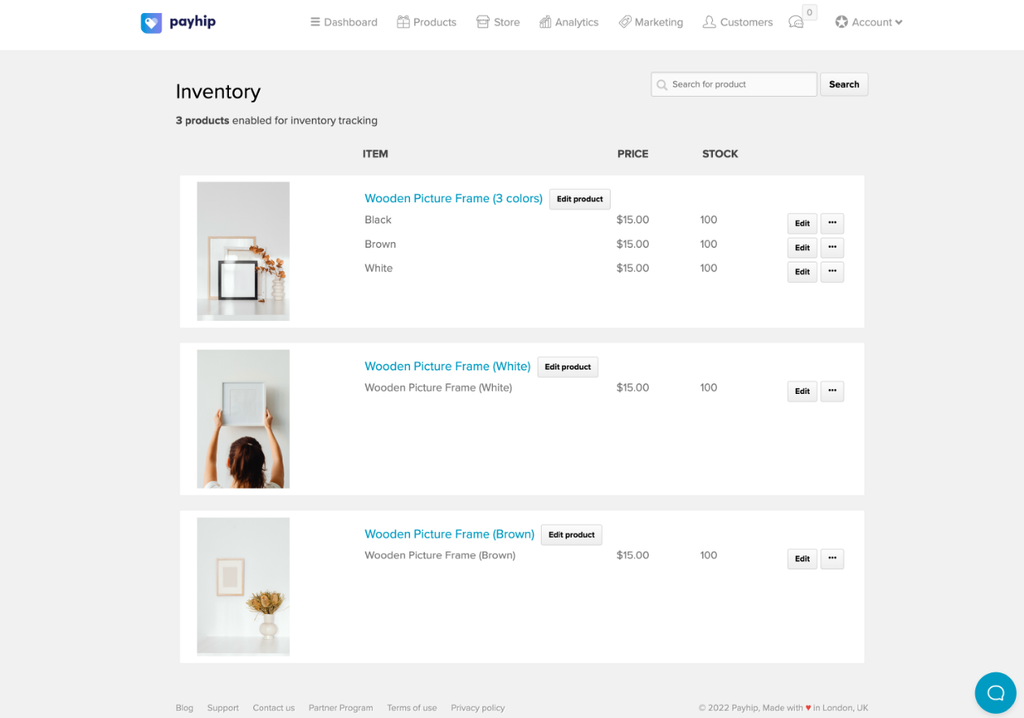
- Sells More Than Digital Products: Unlike most platforms on this list, Payhip also supports physical products with inventory tracking and shipping settings — useful if you sell a mix of digital and physical items. You remain responsible for actually packing and shipping physical orders yourself.
- Fast Payouts: Payments are sent directly to your connected Stripe or PayPal account at the time of purchase, rather than held for a fixed payout schedule.
- No Credit Card Required: You can sign up and start selling on the free plan without entering payment details, and cancel anytime.
Cons
- Fee Reduction Requires a Monthly Commitment: Getting to 0% transaction fees means paying $99/month whether you’re ready for that cost or not — there’s no in-between tier with a moderate monthly fee and moderate percentage cut.
- Standard Processing Fees Still Apply: PayPal and Stripe’s standard rates apply on every plan, including Pro, so “0% transaction fee” doesn’t mean 0% total cost.
- Limited Course Depth: Courses support videos, quizzes, assignments, drip content, and certificates, but the platform isn’t as deep on structured learning tools as dedicated course platforms like Thinkific.
- Other Taxes Are Self-Managed: Outside of EU/UK VAT and US/Canadian sales tax, Payhip will collect tax based on rules you set up yourself, but you’re responsible for reporting and paying it — it’s not full merchant-of-record coverage everywhere.
Ready to try Payhip?
Who Should Use Payhip?
Choose Payhip if:
- You want access to every feature from day one, without hitting paywalled functionality as you grow.
- You sell to customers in the EU, UK, US, or Canada and want VAT/sales tax collected and remitted for you automatically.
- You sell a mix of digital and physical products and want one platform to handle both.
- You want a predictable way to lower your fees over time by upgrading a plan, rather than negotiating custom pricing.
Look Elsewhere if:
You’re building a structured, multi-module course with deep compliance tracking — a dedicated platform like Thinkific will serve that better (see our Thinkific Review).
You sell almost exclusively to US or EU customers and want full merchant-of-record coverage everywhere without ever touching tax setup yourself — Lemon Squeezy’s coverage is broader outside Payhip’s core regions (see our Lemon Squeezy Review).
You’d rather pay a one-time fee and never think about a percentage cut again — ThriveCart’s lifetime pricing charges 0% platform transaction fees from the start.
Key Features
1. What You Can Sell
- Digital Downloads: Sell ebooks, software, design assets, music, and any other file-based product.
- Online Courses: Host video, file, quiz, and assignment-based lessons, with drip scheduling and completion certificates included.
- Coaching: Set up coaching products with direct integrations for Calendly and Zoom, while other scheduling or video tools can also be added via links.
- Memberships: Charge a recurring monthly or yearly fee for access to files or a membership group.
- Physical Products: Manage inventory, fulfill orders, and run promotions for tangible goods — a feature most digital-product platforms don’t offer.
2. Payments & Tax Handling
- Payment Gateways: Accepts PayPal and Stripe, along with major card networks including Visa, Mastercard, American Express, JCB, and Discover.
- EU/UK VAT: Payhip acts as your reseller for digital VAT purposes — it detects EU/UK customers, applies the correct VAT rate, and reports and remits the collected VAT to tax authorities each quarter.
- US/Canadian Sales Tax: Payhip operates as a marketplace facilitator in the US, taking on responsibility for collecting and paying sales tax there. Since July 1, 2026, it does the same in Canada for GST/HST and PST, though Quebec QST is currently an exception while Payhip completes its registration process — sellers still need to handle Quebec sales tax themselves for now.
- Other Tax Jurisdictions: For any tax rules outside the above, you can configure your own countries, states, and rates. Payhip collects the tax at checkout and sends it to you, along with a monthly sales report, but filing and paying it remains your responsibility.
3. Store Builder & Customization
- Custom Storefront: Build a branded store using Payhip’s store builder, with support for connecting your own domain.
- Themes: Choose from pre-built themes to match your brand without custom coding.
4. Marketing Tools
- Coupons: Create discount codes with usage limits, product restrictions, and expiration dates.
- Affiliate Program: Recruit affiliates and track their sales and commissions through Payhip. Payouts to affiliates aren’t automatic — you pay affiliates yourself using Payhip’s monthly affiliate reports.
- Cross-Selling & Upsells: Promote additional products to buyers, often paired with a discount incentive.
- Referrals: Reward existing customers for referring friends with special pricing for both parties.
- Customer Reviews: Collect reviews with an approval system and verified-purchase badges for social proof.
- Email Marketing: Send updates to your customer list and build your mailing list directly from sales.
Pricing
Payhip uses three plans, all with identical features — the only difference is your monthly cost and transaction fee.
- Free Forever ($0/month): 5% transaction fee, unlimited products, unlimited revenue, every feature included.
- Plus ($29/month): 2% transaction fee, same unlimited products and features as Free.
- Pro ($99/month): 0% transaction fee, same unlimited products and features as Free and Plus.
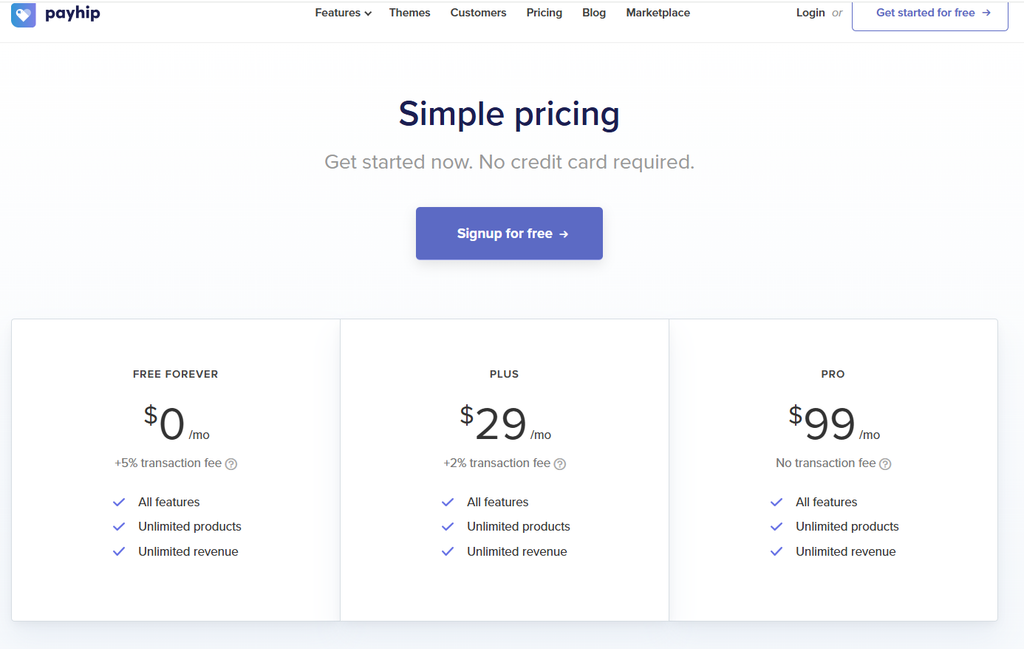
On every plan, PayPal or Stripe’s standard processing rates still apply on top of Payhip’s transaction fee — “0% transaction fee” on Pro refers specifically to Payhip’s own cut, not total payment processing costs. There’s no free trial in the traditional sense, since the Free plan itself has no time limit; you can also cancel at any time on a paid plan.
Looking for other choices? See our top picks for the Best Digital Product Platforms for Creators
Top Alternatives
- Gumroad: A simpler competitor with a single flat fee (10% + $0.50) rather than tiered pricing — no monthly plan to manage, but no way to lower the percentage as you scale. (Gumroad review)
- Lemon Squeezy: Better suited to software and SaaS sellers who want broader merchant-of-record tax coverage beyond Payhip’s core EU/UK/US/Canada regions, though its base fee (5% + $0.50) doesn’t scale down with a monthly plan. (Lemon Squeezy review)
- ThriveCart: The choice if you’d rather pay once and keep 100% of every sale afterward (aside from standard card processing), instead of a recurring percentage or monthly fee. (ThriveCart review)
Final Verdict
Payhip stands out for its transparency: no feature is ever locked behind a higher tier, and the only thing you’re paying for as you upgrade is a lower cut on every sale. Combined with genuinely strong EU/UK VAT and US/Canadian sales tax handling, it’s a solid choice for creators who sell across those regions and want fewer moving parts.
The tradeoff is that reaching 0% fees means committing to a $99/month plan rather than scaling gradually, and outside its core tax regions, you’re still handling compliance yourself. For creators selling primarily digital products to EU, UK, US, or Canadian customers, Payhip’s combination of simple pricing, broad product support, and built-in tax handling makes it a strong option for selling without managing a complicated platform.
FAQ
Does Payhip charge a monthly fee? Not necessarily. The Free Forever plan has no monthly cost and charges a 5% transaction fee instead. Paid plans ($29/month or $99/month) lower that fee to 2% or 0%, respectively.
Does Payhip handle sales tax for me? For EU/UK VAT and US sales tax, yes — Payhip collects and remits these automatically on your behalf. It does the same for Canadian GST/HST and PST as of July 1, 2026, with Quebec QST as a current exception. For other tax jurisdictions, Payhip can collect tax based on rules you configure, but you’re responsible for reporting and paying it yourself.
Can I sell physical products on Payhip? Yes. Payhip supports physical products alongside digital downloads, courses, coaching, and memberships, with tools for inventory management and order fulfillment.
Do all Payhip plans have the same features? Yes. Payhip doesn’t gate features behind higher-priced plans — every plan, including the free one, includes the full feature set. The only difference between plans is the monthly price and the transaction fee percentage.
Compare Payhip with
Disclosure: StackDrawer is reader-supported. If you purchase through certain links on this site, we may earn an affiliate commission at no additional cost to you. Learn more in our Affiliate Disclosure.