
Substack is the platform that popularized the independent newsletter movement. It allows writers, journalists, and podcasters to publish content and get paid directly by their readers without dealing with ad networks or paywall plugins.
Unlike traditional email marketing platforms designed for selling products or managing sales pipelines, Substack is built specifically for pure publishing and community building.
Here is a breakdown of its features, its unique pricing model, and whether it is the right home for your publication.
On this page
Quick Verdict
| Overall Rating | ★★★★☆ 4.2/5 |
| Best For | Writers, Journalists, Podcasters |
| Starting Price | Free for unlimited subscribers |
| Platform Fee | 10% on paid subscriptions |
| Custom Domain | $50 one-time setup fee |
Pros
- 100% free to publish with unlimited subscribers.
- Built-in recommendation network helps you grow organically.
- Incredibly simple, distraction-free writing editor.
- Native support for hosting podcasts and video content.
Cons
- The 10% platform fee becomes very expensive as your revenue scales.
- Lacks advanced visual automations and marketing funnels.
- Very limited design customization for your newsletter template.
Who Should Use Substack?
Substack is built for creators who want to write and publish without worrying about backend technology.
It is an excellent choice for:
- Independent Writers: Getting paid directly by readers without a middleman.
- Journalists: Launching their own ad-free media columns.
- Podcasters: Distributing private audio feeds to paying supporters.
- Hobbyists: Starting a newsletter with absolutely zero upfront financial risk.
If your main goal is to sell online courses, manage a complex e-commerce funnel, or trigger heavy visual email automations based on subscriber behavior, a tool like Kit is a much better fit.
Key Features
1. Distraction-Free Editor
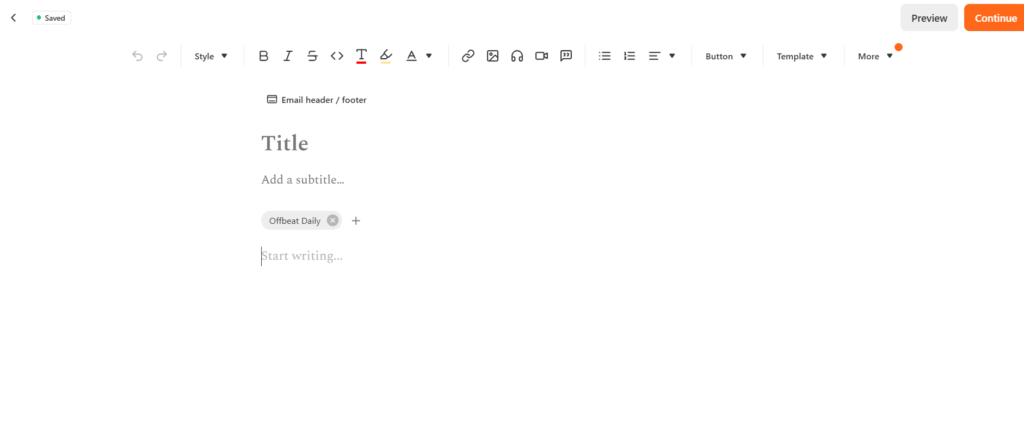
Substack’s editor is extremely minimalist. It feels more like writing in a clean document than designing a marketing email. You can easily embed images, tweets, paywalls, and audio blocks, but you cannot drag-and-drop complex column layouts or apply heavy custom brand styling.
2. The Recommendation Network
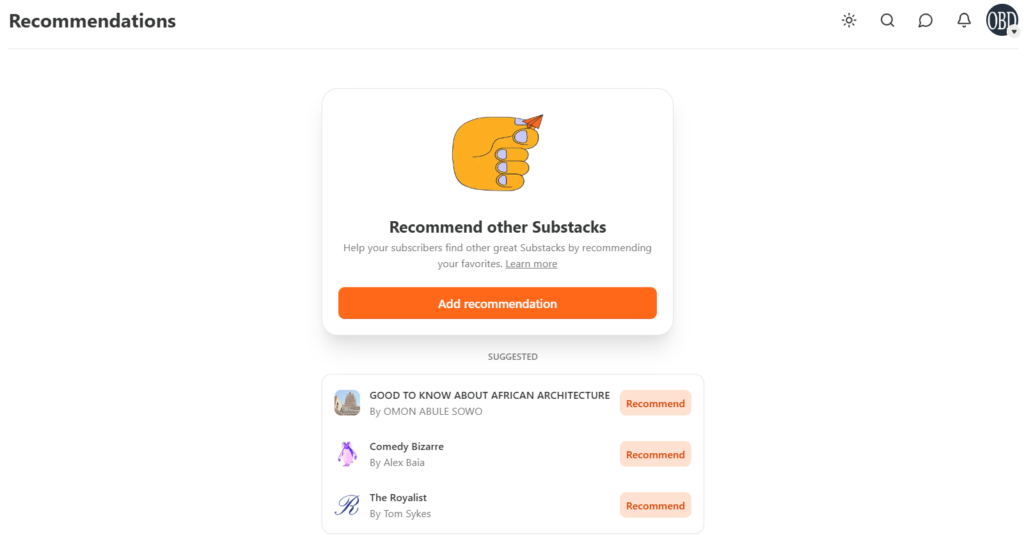
When a new reader signs up for your newsletter, Substack immediately recommends other related publications to them, and vice versa. This built-in network effect is one of the strongest features of the platform, helping new writers gain early momentum organically.
3. Built-In Paid Subscriptions
Monetizing on Substack requires almost zero technical setup. You simply connect your banking details, set your monthly or annual price, and drop paywalls directly into your articles. Readers can easily upgrade to a paid tier to unlock premium posts.
4. Substack Chat & App
Substack operates its own iOS and Android app. Through the app, you can launch a “Chat” space, which functions like a private text thread exclusively for your subscribers, fostering a tight-knit community away from social media algorithms.
Pricing
Substack utilizes a completely different pricing model than most email platforms. There are no monthly subscription tiers based on your list size.
- Free Publishing: Substack is completely free to use if you do not charge your readers. You can have unlimited subscribers and send unlimited emails for $0.
- Paid Subscriptions (10% Fee): The moment you turn on paid subscriptions, Substack takes a flat 10% cut of your revenue.
- Payment Processing Fees: In addition to Substack’s 10%, the payment processor (Stripe) charges a credit card fee of roughly 2.9% + $0.30 per transaction, plus an additional 0.7% billing fee for recurring payments. This brings your total fee to around 13% to 14% of your total revenue.
- Custom Domain: If you want to use your own domain name (e.g., yourname.com) instead of a default Substack subdomain, they charge a one-time setup fee of $50.
Top Alternatives
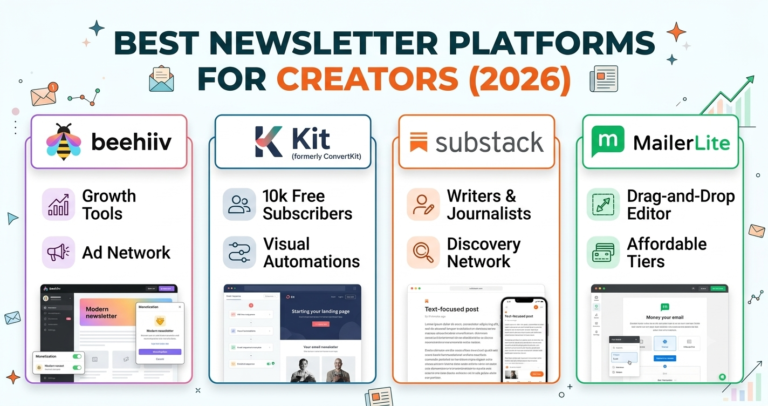
beehiiv: The best alternative if you want to run your newsletter like a modern media business. beehiiv offers an ad network and charges 0% platform fees on paid subscriptions, making it much cheaper at scale.
Kit (formerly ConvertKit): Kit is the top choice if you want to sell digital products, courses, or use advanced visual email automation funnels.
Ghost: A great alternative for writers who want full control over their website design and open-source hosting without giving up a 10% revenue cut.
Looking for other choices? See our top picks for the Best Newsletter Platforms for Creators
Final Verdict
Substack remains the absolute easiest way to start a publication today. If you want zero upfront costs, zero technical setup, and built-in tools to help people find your writing, there is no better starting line.
However, if you plan on building a massive paid publication, the 10% revenue cut scales endlessly. For writers earning significant monthly revenue, switching to a flat-fee platform will eventually save tens of thousands of dollars a year.
Ready to start writing?
FAQ
Is Substack really free? Yes, the publishing side is entirely free. You can build a massive audience and send unlimited emails without ever paying a monthly fee. You only pay platform fees if you start charging your readers for premium content.
Do I own my email list on Substack? Yes. You own your intellectual property and your mailing list. You can export your subscriber list as a CSV file at any time and move to a different platform if you choose to leave.
Can I use my own domain name? Yes, but Substack charges a flat, one-time fee of $50 to connect a custom domain to your publication.