
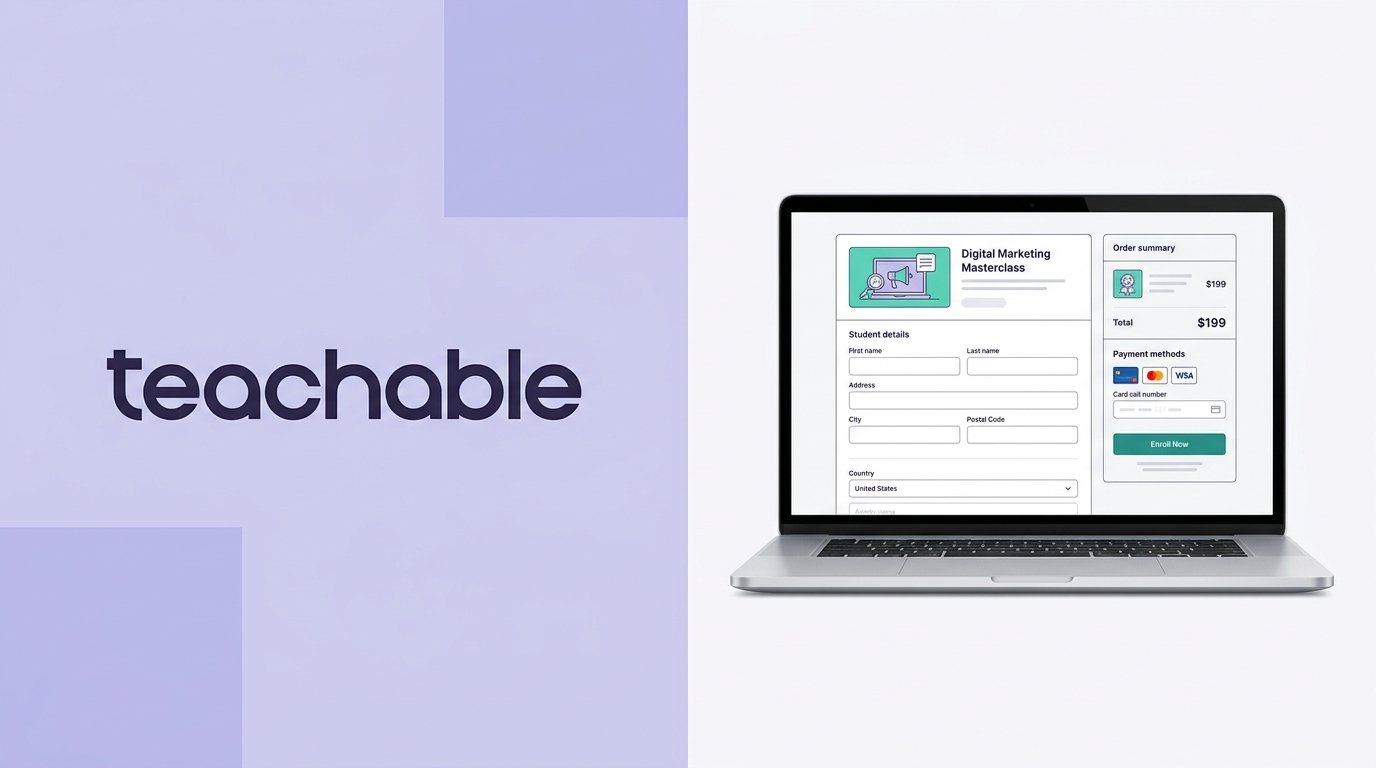
Teachable is a recognizable online course platform designed to help creators, educators, and entrepreneurs build, market, and sell digital learning products. Rather than requiring complex WordPress setups or expensive all-in-one software suites, Teachable provides a structured interface for hosting video courses, 1-on-1 coaching, and digital downloads.
While its entry-level pricing makes it appealing for new course creators, tier-specific product limits and a 7.5% transaction fee on the entry tier mean you need to calculate your expected sales volume carefully.
This review breaks down Teachable’s performance, key features, exact pricing plans, fee structures, pros and cons, and top alternatives to help you decide if it fits your publishing strategy.
On this page
Quick Verdict
| Overall Rating | ⭐ 4.3 / 5.0 |
| Best For | First-time course creators and educators looking for an easy-to-use platform with automated sales tax handling |
| Starting Price | $39/month billed monthly ($29/month billed annually) |
| Free Trial | 7-day free trial, plus a 30-day money-back guarantee for eligible new paid plans |
| Core Features | Drag-and-drop course builder, coaching tools, AI course outline generator, student mobile apps (iOS & Android), automated sales tax collection |
| E-commerce & Fees | The Starter plan charges a 7.5% platform transaction fee; Builder, Growth, and Advanced tiers charge 0% platform fees. Standard payment processing fees apply and vary by payment method and student location; for example, U.S. card transactions through Teachable Payments are 2.9% + $0.30. Connecting a custom Stripe gateway (Growth+) adds a 2% integration fee for U.S.-based schools. |
| Mobile App | Native student mobile app (iOS and Android) for course streaming and lesson access |
Pros & Cons
Pros
- Simple Course Builder: Intuitive interface with drag-and-drop video, quiz, and document uploads.
- Automated Sales Tax Handling: Teachable Payments can automatically calculate, collect, and remit applicable U.S. sales tax, VAT, and GST in supported markets.
- Low Entry Subscription: The $29/month (annual) Starter tier provides an accessible way to validate an initial course concept.
- AI Business Tools: Built-in AI course outline and page generators speed up initial setup.
- Native Mobile Apps: Students can stream video lessons and access course materials on iOS and Android devices.
Cons
- 7.5% Fee on Starter: The 7.5% platform fee on the Starter plan stacks on top of credit card processing, taking a sizeable cut of early sales.
- No Free Tier: Teachable retired its free plan, requiring a paid subscription to publish products.
- Custom Gateway Surcharge: U.S.-based schools using a custom Stripe payment gateway may be subject to an additional Teachable integration fee. The Custom Payment Gateway is available on all plans, although tax handling and some payment features differ from Teachable Payments.
- Branding Removal Gated: Completely removing Teachable branding requires upgrading to the Growth plan ($139/month annual).
Ready to try Teachable ?
Who Should Use Teachable?
Choose Teachable if:
- You are launching or validating your first online course and want a low monthly subscription cost.
- You want hands-off tax compliance without calculating or remitting global VAT and state sales taxes yourself.
- You prefer a straightforward, focused course player rather than managing complex marketing funnels.
- You want a built-in affiliate program to allow partners to promote your products (available on the Builder tier and above).
Look Elsewhere if:
You prioritize deep community discussion boards as the core product (consider Circle or Skool).
You generate steady monthly revenue on the Starter plan (the 7.5% fee quickly becomes more expensive than the plan price gap).
You want a complete, all-in-one marketing suite with advanced CRM and pipeline automations (consider our Kajabi Review).
Key Features
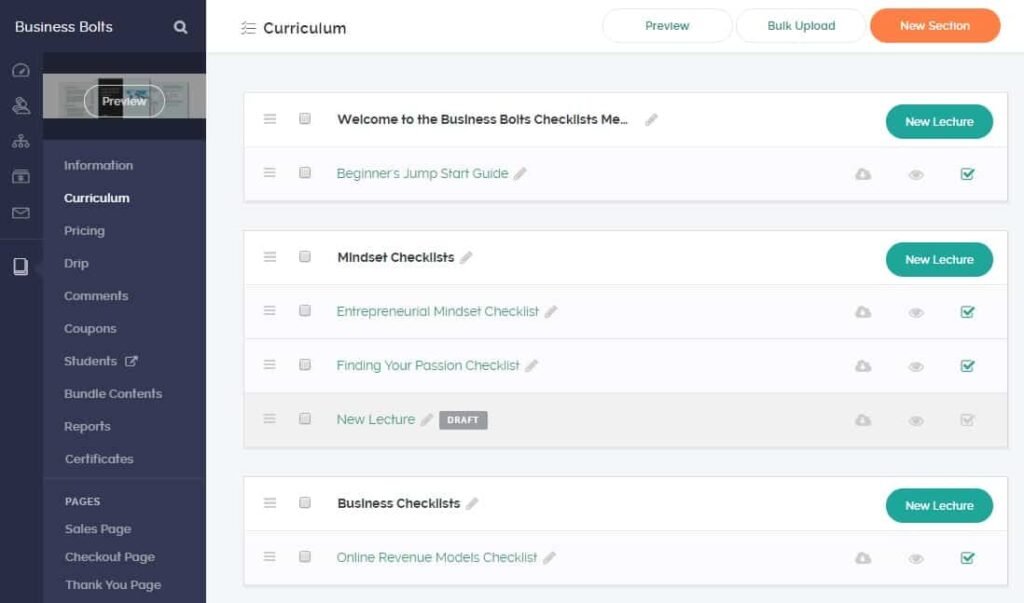
1. Digital Product & Course Builder
Teachable focuses heavily on structured learning, providing clean course navigation and simple media hosting.
- Content Uploads & Media: Upload videos, PDFs, audio files, and text blocks directly into structured modules. Teachable handles video hosting automatically.
- Drip Content & Quizzes: Release course sections on a set schedule or configure multiple-choice quizzes to assess student comprehension.
- Coaching & Downloads: Sell 1-on-1 coaching packages with integrated scheduling tools alongside standalone digital downloads (such as eBooks or templates).
2. E-Commerce & Tax Management
One of Teachable’s biggest operational advantages is its native payment infrastructure (teachable:pay).
- Automated Sales Tax: Teachable Payments provides automated tax calculation, collection, and remittance for supported taxes and regions, including U.S. sales tax and EU/UK VAT.
- Buy Now, Pay Later: Teachable Payments supports payment options such as Klarna and Afterpay in supported markets (subject to a 6.99% + $0.30 BNPL processing fee).
- Upsells & Checkout Offers: Teachable supports checkout upsells and in-lesson upsells, allowing creators to promote additional products during or after the purchase journey.
3. Site Builder & Customization
Teachable includes a visual editor for constructing sales pages, landing pages, and checkout workflows.
- Page Customization: Use customizable templates and AI-powered layout tools to build product pages.
- Custom Domains: Connect custom domain names across all paid subscription tiers.
Looking for a standalone site builder instead? Read our guide to the best website builders.
4. Marketing & Affiliate Tools
- Built-In Affiliate Program: On Builder plans and above, recruit affiliates and automate commission distribution.
- Email Marketing: Send targeted email broadcasts and newsletters directly to enrolled students.
Pricing
Teachable offers four primary subscription tiers with monthly or annual billing options (annual billing saves ~22%).
Starter Plan
- Monthly: $39/month
- Annual: $29/month ($348 billed annually)
- Includes: 5 published products, 100 active students, 1 admin seat, AI creation tools, and student mobile app access.
- Fee Note: Carries a 7.5% platform transaction fee per sale in addition to standard credit card processing rates.
Builder Plan (Best Value)
- Monthly: $89/month
- Annual: $69/month ($828 billed annually)
- Includes: 10 published products, 1,000 active students, 1 admin seat, built-in email marketing, affiliate management, real-time support, and 0% platform transaction fees.
Growth Plan
- Monthly: $189/month
- Annual: $139/month ($1,668 billed annually)
- Includes: 50 published products, 5,000 active students, 5 admin seats, public API access, custom user roles, and removal of most Teachable branding.
Advanced Plan
- Monthly: $399/month
- Annual: $309/month ($3,708 billed annually)
- Includes: 100 published products, up to 10,000 active students, advanced reporting, custom permissions, and higher-tier support options. (Custom enterprise plans are also available for higher-volume institutions).
The Starter vs. Builder Break-Even Point
Because the Starter plan charges a 7.5% transaction fee while Builder charges 0%, the simple subscription-cost break-even point is about $533 in monthly sales based solely on the plan-price difference ($40 monthly difference ÷ 7.5% = $533.33). Actual net savings will depend on your payment processing fees, sales taxes, refunds, and the specific features you require.
Looking for other choices? See our top picks for the Best Course Platforms for Creators
Top Alternatives
- Kajabi: A complete all-in-one engine that combines course hosting with advanced sales pipelines, CRM features, and automated email workflows.
- Podia: An accessible digital storefront alternative for selling courses, downloads, and webinars without transaction fees on paid tiers.
- Thinkific: A direct competitor to Teachable featuring drag-and-drop course creation and flexible site building options.
Final Verdict
Teachable remains a solid, user-friendly platform for educators and creators who want to launch digital products without managing complex technical setups or global sales tax compliance.
While the $29/month Starter plan provides a low-cost entry point, its 7.5% transaction fee can make Builder more attractive as sales grow. The simple subscription-price break-even point is around $533 in monthly sales, although your actual costs will vary depending on payment processing and feature needs.
FAQ
Does Teachable have a free plan? No. Teachable retired its free plan. The entry-level option is the Starter plan at $29/month (billed annually) or $39/month (billed monthly).
What are Teachable’s transaction fees? The Starter plan charges a 7.5% platform transaction fee on every sale. Builder, Growth, and Advanced plans charge 0% in platform transaction fees. Standard payment processing fees (e.g., 2.9% + $0.30 for U.S. cards via teachable:pay) apply across all plans.
Does Teachable collect sales tax and EU VAT? Yes. When using teachable:pay, Teachable automatically calculates, collects, and remits state sales tax and EU/UK VAT on eligible purchases.
Can I remove Teachable branding? Removing Teachable branding requires upgrading to the Growth plan ($139/month annual) or higher.
Disclosure: StackDrawer is reader-supported. If you purchase through certain links on this site, we may earn an affiliate commission at no additional cost to you. Learn more in our Affiliate Disclosure.