
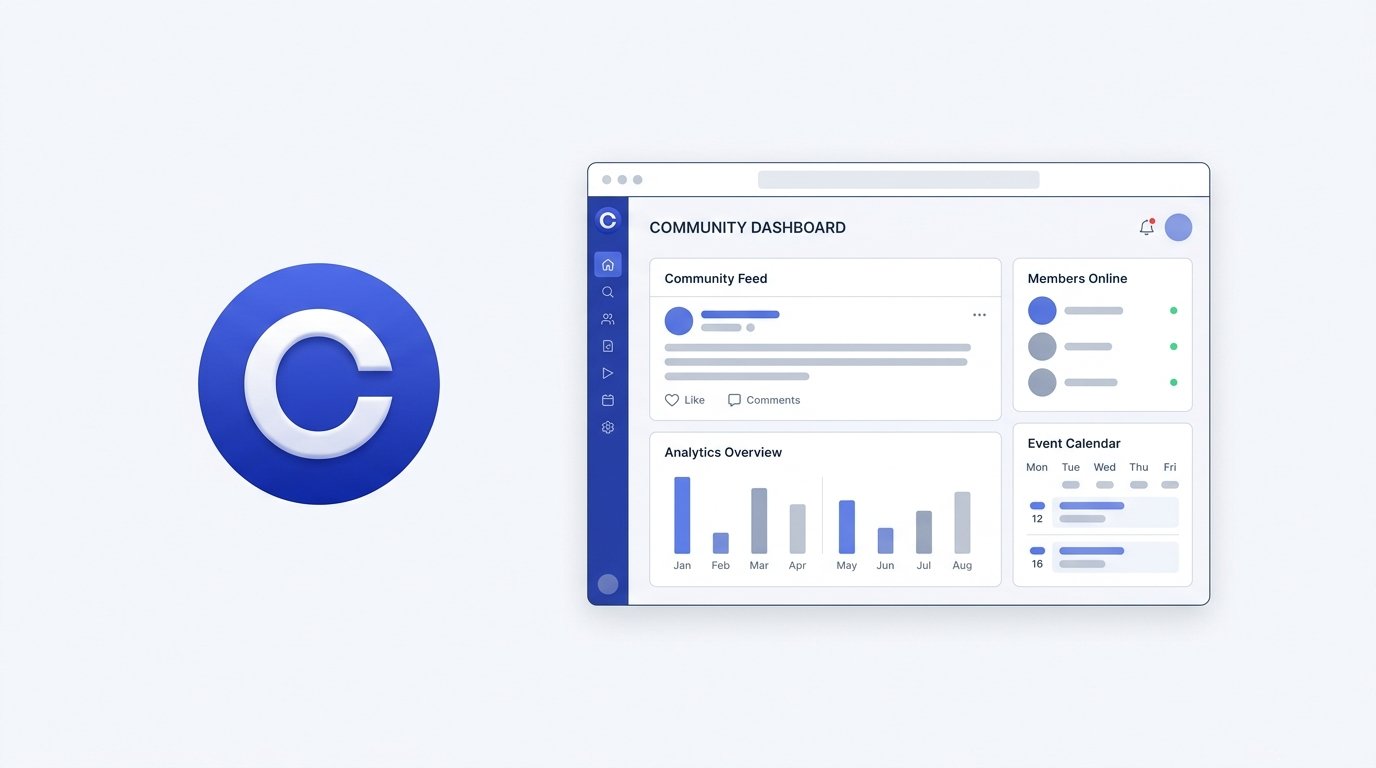
Circle bills itself as a home for your community, courses, and events — all under your own brand, with community, courses, payments, and a website builder built directly into the platform. Its full email marketing suite is available through a separate add-on. It’s used by a long list of well-known creators and coaches, and it’s grown well beyond its original “community platform” label into something closer to a full digital business suite.
This review breaks down Circle’s pricing, features, fee structure, pros and cons, and top alternatives to help you decide if it fits how you run your community.
On this page
Quick Verdict
| Overall Rating | ⭐ 4.5 / 5.0 |
| Best For | Creators, coaches, and businesses who want community, courses, events, and payments in one branded platform |
| Starting Price | $89/month (Professional plan) |
| Free Trial | 14-day free trial, no credit card required |
| Core Features | Community discussions, courses, live events and live rooms, website builder, native mobile apps, AI tools, branded payments, email marketing (add-on) |
| E-commerce & Fees | 2% transaction fee on Professional, 1% on Business, 0.5% on Circle Plus, in addition to standard payment processing fees |
Pros & Cons
Pros
- Genuinely All-in-One: Community, courses, events, a website builder, and payments are all native to the platform — you’re not stitching together a community tool with a separate course host, though full email marketing is a paid add-on rather than included.
- Unlimited Members on Every Plan: Even the entry-level Professional plan has no member cap, which is unusual among community platforms that often gate member count by tier.
- Useful AI Tools: Circle AI is included on Professional and Business, with 2,500 AI credits per month on each. More advanced Community AI features — the AI content writer, automated transcriptions, and activity scores — are reserved for Business and above.
- Real Money-Back Guarantee: A 30-day, no-questions-asked refund policy on top of the 14-day free trial gives you extra room to evaluate the platform risk-free.
- Native Mobile Apps: Members get iOS and Android apps out of the box, with the option to upgrade to fully branded, white-labeled apps through Circle Plus.
Cons
- No Free Plan: Circle starts at $89/month with no free tier — a bigger upfront commitment than some community platforms aimed at earlier-stage creators.
- Transaction Fees on All Current Plans: Circle charges 2% on Professional, 1% on Business, and 0.5% on Circle Plus, in addition to standard payment processing — there’s no tier where the platform fee drops to zero.
- Email Marketing Costs Extra: Circle’s Email Hub is a separate add-on starting at $99/month for 10,000 contacts, on top of your community plan price.
- Branded Apps Require Sales Contact: Getting your own white-labeled mobile app means going through a custom sales conversation rather than a self-serve upgrade, and pricing isn’t published.
Ready to try Circle ?
Who Should Use Circle?
Choose Circle if:
- You want to run a paid community, courses, and live events from one branded platform without juggling multiple subscriptions.
- You’re building a business around your community and want built-in payments, affiliate tracking, and reporting.
- You want AI tools built into your community management rather than bolted on through a third-party integration.
- You plan to eventually launch a branded mobile app for your members.
Look Elsewhere if:
You’re just starting out and want to test an idea with a free plan first — Circle’s $89/month minimum is a real commitment before you’ve validated demand.
You need a full-featured email marketing suite included in your plan rather than as a $99+/month add-on.
You’re primarily focused on structured course delivery with deep compliance tracking — a dedicated platform like Thinkific may serve that specific need better (see our Thinkific Review).
Key Features
1. Community & Engagement
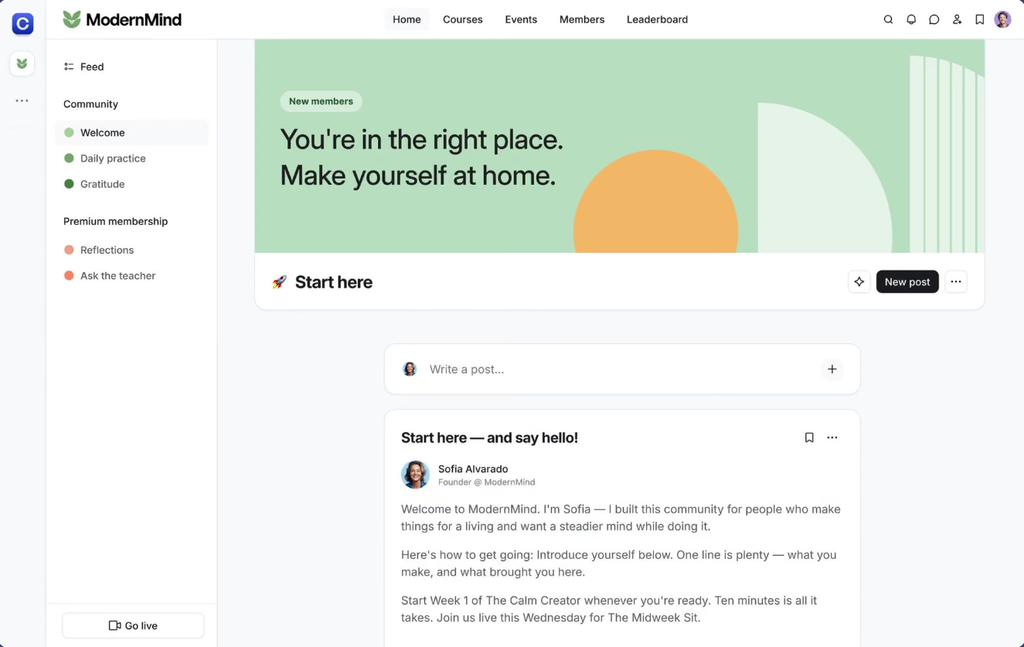
- Discussions & Spaces: Organize your community into up to 20 spaces on Professional (30 on Business), with discussions, direct messaging, and group chat built in.
- Gamification: Reward member activity and engagement with built-in gamification tools, available from the entry-level plan.
- Rich Profiles & Directory: Members get searchable profiles and a member directory, helping people find and connect with each other inside your community.
- Moderation & Compliance: Basic moderation tools are included on every plan, and Circle’s own site lists GDPR compliance and SOC 2 certification among its platform credentials.
2. Courses, Events & Live
- Course Hosting: Build and sell courses natively within Circle, without a separate course platform.
- Live Streams & Live Rooms: Host live video events and interactive live rooms, with attendee and participant caps that scale by plan (100 live stream attendees and 15 live room participants on Professional; 200 and 20 on Business).
- Events Calendar: Schedule and promote community events directly inside the platform.
3. AI, Automation & Workflows
- Circle AI: Included on every plan, with 2,500 AI credits per month on Professional and Business (additional credits billed at $10 per 1,000).
- Workflows: Automate member onboarding, notifications, and engagement sequences — 20 automations on Professional, unlimited on Business and above.
- AI Agents (Circle Plus): More advanced, autonomous AI agents and AI-powered workflows are reserved for the custom-priced Circle Plus tier.
- Community AI (Business+): The AI content writer, automated transcriptions, and activity-score tracking are Business-and-above features, not included on Professional.
- Admin & Headless APIs: Both the Admin API and Headless Member API require Business plan and above for custom integrations. Professional users get Zapier integration instead.
4. Payments, Website & Branding
- Branded Payments: Sell one-time purchases, memberships, or recurring subscriptions through a branded checkout, with support for affiliate tracking and payment reporting.
- Website Builder: Build landing pages, sales pages, and a full website inside Circle, connected directly to your community, courses, and payments.
- Custom Branding & Domain: Use your own custom domain and branding from the Professional plan up; full removal of Circle’s own branding requires Business.
- Native and Branded Mobile Apps: Members can access your community through Circle’s own iOS and Android apps on every plan; a fully custom, white-labeled branded app is a separate Circle Plus offering, priced through a sales conversation.
Pricing
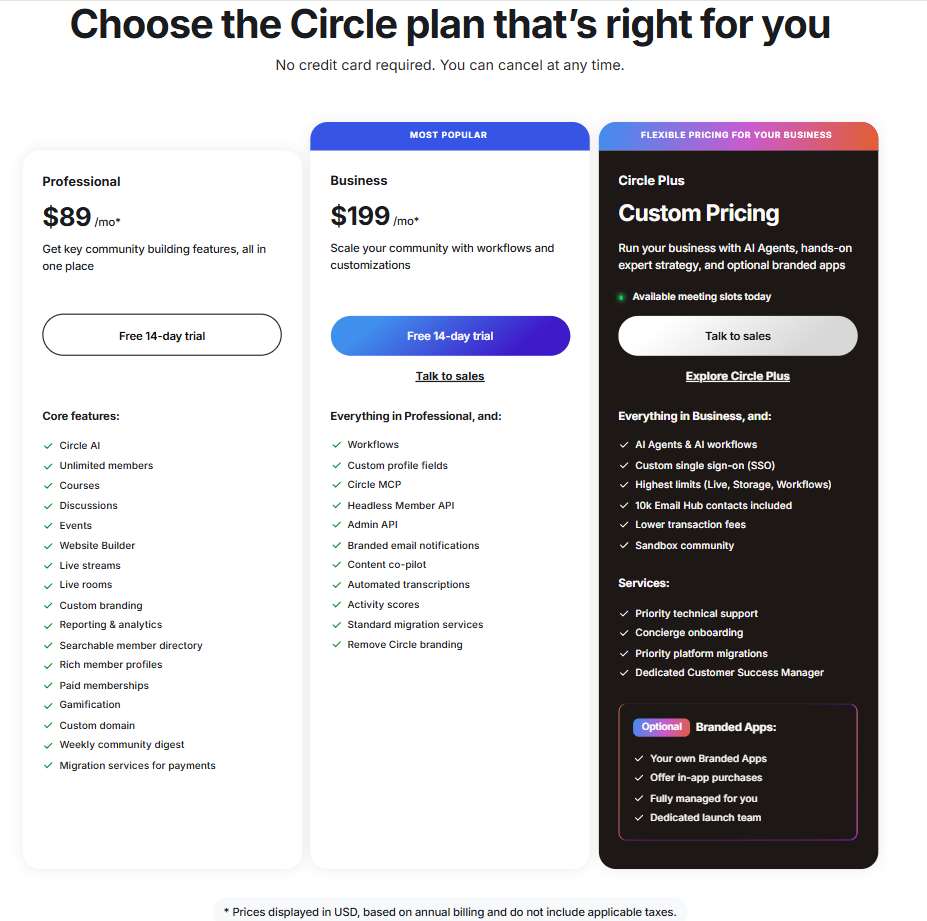
Circle offers three tiers, all with a 14-day free trial and no credit card required to start.
- Professional ($89/month): Unlimited members, 3 admins, 10 moderators, 20 spaces, 200 GB storage, courses, events, live streams and live rooms, website builder, custom domain and branding, gamification, paid memberships, and a 2% transaction fee.
- Business ($199/month, most popular): Everything in Professional, plus unlimited automations and workflows, custom profile fields, the Headless Member API, Admin API, branded email notifications, AI content co-pilot, automated transcriptions, full removal of Circle branding, and a 1% transaction fee. 5 admins, 15 moderators, 30 spaces, 500 GB storage.
- Circle Plus (custom pricing): Everything in Business, plus AI Agents and AI workflows, custom single sign-on, the highest platform limits, 10,000 Email Hub contacts included, a 0.5% transaction fee, priority support, concierge onboarding, and a dedicated Customer Success Manager. Optional fully-managed branded mobile apps are available at this tier.
Email marketing is a separate add-on called Email Hub, starting at $99/month for 10,000 contacts (the first 30 days are free), charged on top of whichever community plan you’re on. Additional admins, moderators, spaces, live attendees, and hours can all be purchased individually if you outgrow your plan’s included limits without upgrading entirely.
Looking for other choices? See our top picks for the Best Community Platforms
Top Alternatives
Kajabi: A stronger fit if course delivery, email marketing automation, and sales funnels matter more to you than community-first features — see our Kajabi Review.
Mighty Networks: Worth comparing if you want a community-first platform with a lower entry price point — see our Mighty Networks Review.
Skool: A simpler option if gamification and a straightforward community-plus-courses setup are your priorities — see our Skool Review.
Final Verdict
Circle earns its reputation as one of the more complete community platforms available — community, courses, events, payments, website tools, and AI features all live under one roof, with unlimited members even on its cheapest plan. The tradeoff is cost: there’s no free tier, transaction fees apply on every current plan, and the full Email Hub is a separate paid add-on.
For creators and businesses ready to commit to a dedicated community platform and who want to consolidate multiple tools into one branded experience, Circle is a strong choice. For those still validating an idea, the $89/month starting price is worth weighing against platforms with a genuine free tier.
FAQ
Does Circle have a free plan? No. Circle’s cheapest plan, Professional, starts at $89/month. There’s a 14-day free trial (no credit card required) and a 30-day money-back guarantee if you decide it’s not the right fit after subscribing.
Does Circle charge transaction fees? Yes, on its standard plans. Professional charges 2%, Business charges 1%, and Circle Plus (custom pricing) charges 0.5% — all on top of standard payment processing fees.
Is email marketing included in Circle’s pricing? Not fully. Basic community features are included in every plan, but Circle’s full email marketing tool, Email Hub, is a separate add-on starting at $99/month for 10,000 contacts, billed on top of your community plan.
Can I get a branded mobile app for my community? Yes, but not as a simple plan upgrade. Branded, white-labeled iOS and Android apps are available through Circle Plus and require a custom sales conversation rather than published self-serve pricing.
Compare Circle with
Disclosure: StackDrawer is reader-supported. If you purchase through certain links on this site, we may earn an affiliate commission at no additional cost to you. Learn more in our Affiliate Disclosure.