
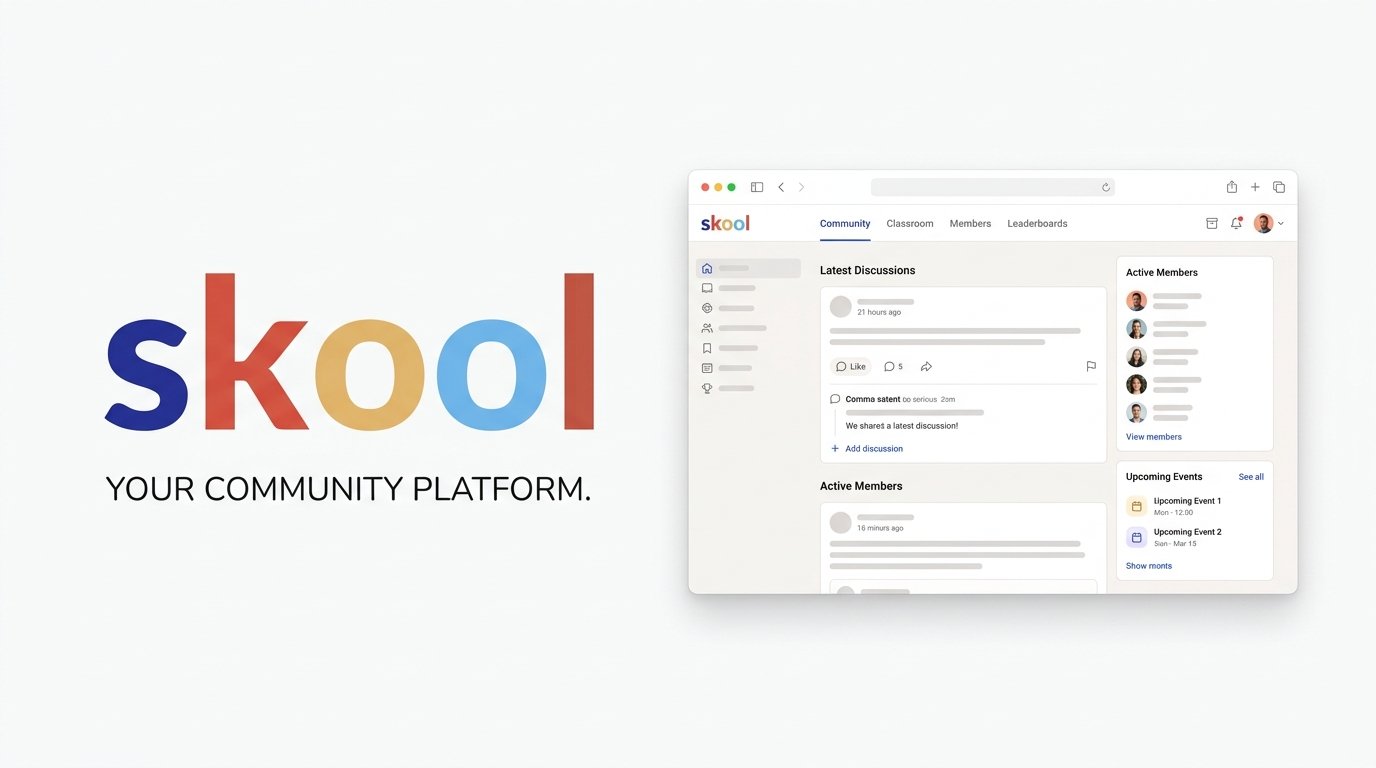
Skool takes the opposite approach from most community platforms on this list: instead of adding more features, it strips things down to one unified feed, one classroom, and a gamification system built around points, levels, and leaderboards. It’s become particularly popular among coaches, creators, and online educators who want to combine a community, courses, and gamification in one relatively simple platform.
This review breaks down Skool’s pricing, features, fee structure, pros and cons, and top alternatives to help you decide if its simplicity works for you or against you.
On this page
Quick Verdict
| Overall Rating | ⭐ 4.3 / 5.0 |
| Best For | Coaches and creators who want a simple, gamified community and classroom without managing multiple tools or complex settings |
| Starting Price | $9/month (Hobby plan) |
| Free Trial | 14-day free trial, cancel anytime |
| Core Features | Unified community feed, basic course hosting, built-in gamification (points, levels, leaderboards), live video calls, calendar, native mobile apps, discovery directory |
| E-commerce & Fees | 10% + $0.30 per transaction on the Hobby plan; 2.9% + $0.30 on the Pro plan for transactions up to $899, rising to 3.9% + $0.30 above $900. These fees cover payment processing. |
Pros & Cons
Pros
- Genuinely Simple to Run: One central feed, one classroom, and straightforward settings mean less time configuring the platform and more time actually building your community.
- Built-In Gamification: Points, levels (1 through 9), and leaderboards are part of the core experience, giving members a visible progression system rather than a bolted-on feature.
- Content Gating Built In: Lock course content behind gamification levels, specific membership tiers, or one-time purchases, letting you mix free and paid content without separate funnels.
- Built-In Discovery: Skool’s Discovery system lets prospective members find communities through Skool’s own network and search.
- Native Mobile Apps: iOS and Android apps give members access to the community, classroom, calendar, and notifications.
Cons
- Basic Course Tools: Skool’s classroom supports video lessons, links, documents, and drip scheduling, but it doesn’t provide built-in quizzes or completion certificates.
- Limited Integrations, Locked to Pro: Skool focuses heavily on its own community and classroom experience. Zapier integration — the only official way to connect Skool to a CRM or other external tools — is available on Pro only, not Hobby at all.
- Affiliate Program Requires Pro: Letting your own members earn commissions for referrals is a Pro-only feature; Hobby doesn’t include it.
- Almost No Branding Control: Skool offers minimal customization, so your community will look and feel like a Skool community rather than a fully white-labeled extension of your brand.
- Higher Entry-Tier Fee Than Some Competitors: The Hobby plan’s 10% + $0.30 transaction fee is steep compared to platforms that start lower — Pro ($99/month) brings that down to 2.9% + $0.30 (rising to 3.9% + $0.30 on individual transactions above $900).
Ready to try Skool ?
Who Should Use Skool?
Choose Skool if:
- You want to launch a paid community quickly without a long setup process or complex configuration.
- You believe gamification — points, levels, leaderboards — will genuinely help keep your members active.
- You’re comfortable combining community and course content in one unified space rather than organizing into multiple sections or spaces.
- You want built-in organic discovery through Skool’s public directory.
Look Elsewhere if:
You need structured course features like quizzes, certificates, or drip content — a dedicated platform like Thinkific will serve that better (see our Thinkific Review).
You want full control over branding and a white-labeled experience for your members — Circle offers considerably more customization (see our Circle Review).
You need built-in email marketing or CRM tools rather than relying on third-party integrations.
Key Features
1. Community & Engagement
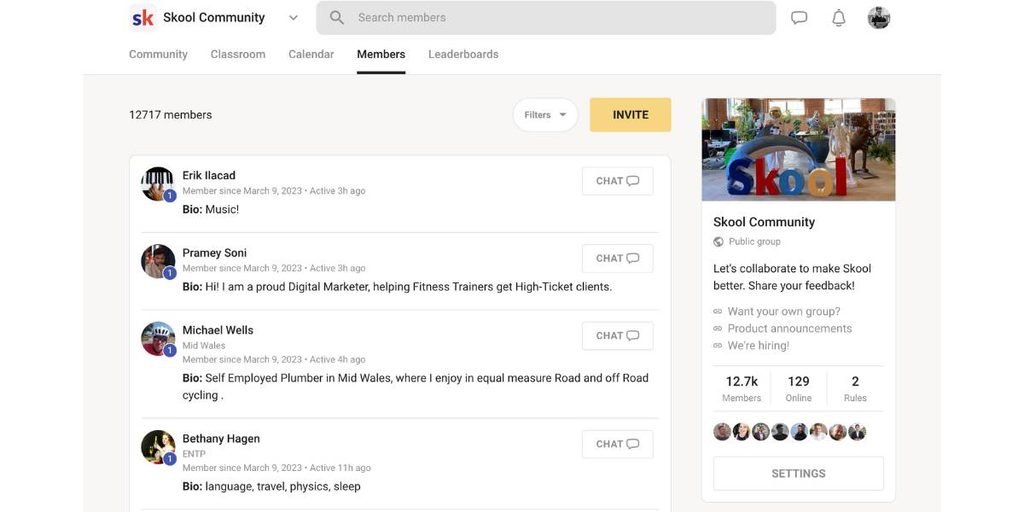
- Unified Feed: Posts, discussions, announcements, and event updates all flow through a single central feed, with categories to help members filter by topic — there’s no separate “spaces” system to configure.
- Gamification: Members earn a point every time someone likes their post or comment. Accumulated points move members up through levels 1 to 9, displayed next to their name and on their profile.
- Leaderboards: Members can see how their level compares with others in the community, adding a visible element of competition and progression.
- Discovery Directory: Skool’s Discovery system lets prospective members find communities through Skool’s own network and search.
2. Courses & Content
- Classroom: Host video-based courses with support for links, transcripts, images, drip scheduling, and lesson customization.
- Level-Gated Content: Restrict specific course modules or content behind gamification levels, membership tiers, or one-time purchases — useful for offering free entry-level content alongside paid advanced material in the same space.
- Basic Toolset: Skool’s course builder covers video, links, documents, and drip-based unlocking, but doesn’t include built-in quizzes or completion certificates, which more structured course platforms offer natively.
3. Live Calls & Calendar
- Built-In Video Calls: Host live calls directly inside Skool with a simple, beginner-friendly interface — no separate Zoom or streaming tool required. Webinars are a Pro-plan feature.
- Calendar: Schedule and display community events and live calls in a shared calendar view.
4. Mobile, Access & Pro-Only Tools
- Native Mobile Apps: iOS and Android apps give members access to the community, classroom, calendar, and notifications.
- Affiliate Program (Pro): Let your own members earn commissions for referring new members — this feature is available on Pro only, not Hobby.
- Zapier Integration (Pro): The only official way to connect Skool to a CRM or other external tools, limited to a small set of triggers and actions, and unavailable on Hobby.
- Other Pro-Only Extras: AutoDM (automated welcome messages), a custom onboarding video, and support for multiple admins are all reserved for Pro.
Pricing
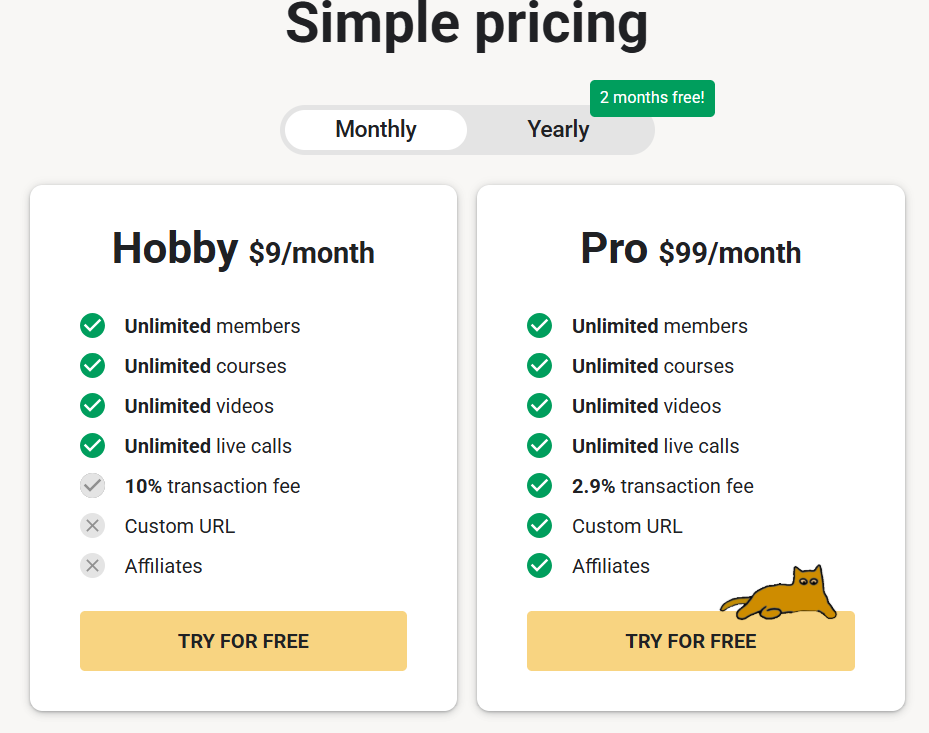
Skool keeps its pricing to two plans. Both include the core community, classroom, video, and live-call experience, but Pro adds several features and a significantly lower transaction rate.
- Hobby ($9/month): Unlimited members, courses, videos, and live calls. Charges 10% + $0.30 per transaction on paid memberships — payment processing is included in that fee.
- Pro ($99/month): The same unlimited core features as Hobby, plus the member affiliate program, Zapier integration, AutoDM, a custom onboarding video, and support for multiple admins. Transaction fees drop to 2.9% + $0.30 on transactions up to $899, rising to 3.9% + $0.30 on individual transactions above $900.
- Yearly billing is available on both plans at a discount equivalent to two free months compared to paying monthly.
- Skool’s standard transaction fees apply to payments processed through the platform. Its optional Growth Boost feature — default on, but toggleable off — can also result in an additional acquisition fee (Skool takes a percentage) when Skool’s own marketing brings you a paying customer, separate from fees on customers you bring yourself.
Both plans include a 14-day free trial, and you can cancel at any time. Skool also acts as merchant of record for EU VAT, handling calculation and remittance on your behalf.
Looking for other choices? See our top picks for the Best Community Platforms
Top Alternatives
- Circle: A stronger fit if you want deeper customization, branding control, and additional tools like a website builder and AI features — see our Circle Review.
- Kajabi: Worth considering if course delivery, email marketing, and sales funnels matter more to you than gamified engagement — see our Kajabi Review.
- Mighty Networks: Another community-first option if you want more structural flexibility than Skool’s single-feed approach — see our Mighty Networks Review.
Final Verdict
Skool succeeds by doing less — one feed, one classroom, and a gamification system built around visible points, levels, and leaderboards. Its $9/month entry price is low, but the Hobby plan’s 10% + $0.30 transaction fee can become significant once you’re generating meaningful revenue, so factor that into the real cost of starting cheap.
The tradeoffs are real: basic course tools (no quizzes or certificates), almost no branding control, and integrations like Zapier locked to the $99/month Pro plan. For coaches and creators who want simplicity and are comfortable with those limits, Skool is a strong, low-friction choice. For businesses that need deeper customization or structured course delivery, it’s worth comparing against more full-featured platforms first.
FAQ
Does Skool have a free plan? No. Skool’s cheapest plan, Hobby, starts at $9/month. There’s a 14-day free trial, and you can cancel at any time.
What transaction fee does Skool charge? 10% + $0.30 per transaction on Hobby. On Pro ($99/month), it’s 2.9% + $0.30 for transactions up to $899, rising to 3.9% + $0.30 above $900. These fees cover payment processing. Skool’s optional Growth Boost feature can add a further acquisition fee specifically on customers Skool’s own marketing brings you.
Does Skool support quizzes or course certificates? Skool’s classroom supports video lessons, links, documents, and drip scheduling, but it doesn’t provide built-in quizzes or completion certificates.
Can people discover my community without me marketing it myself? Yes, to an extent. Skool’s Discovery system lets prospective members find communities through Skool’s own network and search.
Compare Skool with
Disclosure: StackDrawer is reader-supported. If you purchase through certain links on this site, we may earn an affiliate commission at no additional cost to you. Learn more in our Affiliate Disclosure.